Individual assignment
Assign specific team members to phases based on expertise, availability, or role.
Workflow ownership
Ensure every piece of work has clear ownership and responsibility. Assign team members, balance workloads, and track accountability through every phase of your workflows — like having a smart dispatcher for your business processes.
What it does
No work sits unassigned. Four ways accountability stays visible.
Assign specific team members to phases based on expertise, availability, or role.
Route work to entire departments for collaborative handling and shared responsibility.
Automatically assign work based on form data, phase outcomes, or business rules.
Complete audit trail of who was assigned, when, and how they handled it.
Assignment methods
Assign specific individuals to handle particular types of work or workflow phases.
Route work to departments or teams where anyone can pick up and handle the task.
Let the system automatically assign work based on conditions, data, or workload.
Workload management
Automatic balancing keeps work spread evenly while others have lighter loads.
Active tasks currently distributed across the team.
Current team capacity — plenty of room before overload.
See each person's workload at a glance while assigning.
Alerts fire before any single person becomes the bottleneck.
Assignment rules & automation
Two of the most useful rule families — priority routing and time-based escalation.
Team accountability by department
Three departments, each with its own assignment logic.
Challenge: Leads need to be distributed fairly and handled by the right salesperson.
✓ Fair distribution, faster response times
Challenge: Customer issues need proper triage and expert assignment.
✓ Faster resolution, 24/7 coverage
Challenge: Approvals need appropriate authority levels and audit trails.
✓ Proper authorization, clear audit trails
Accountability tracking & reporting
Every assignment, reassignment, and status change is automatically tracked and timestamped.
across the team
within target window
currently assigned
load at the moment
Complete user and role tracking with precise timestamps for every action.
Detailed action descriptions with reason codes for every change.
Why team accountability matters
Every phase has a named person or team responsible for the next move.
Questions and blockers reach the right person without a round of handoffs.
Assignment data makes capacity and bottlenecks easier to see.
Clear responsibility creates better signals for coaching and process improvement.
Assign accountability directly to individual users — no dummy teams required.
Why individual accountability
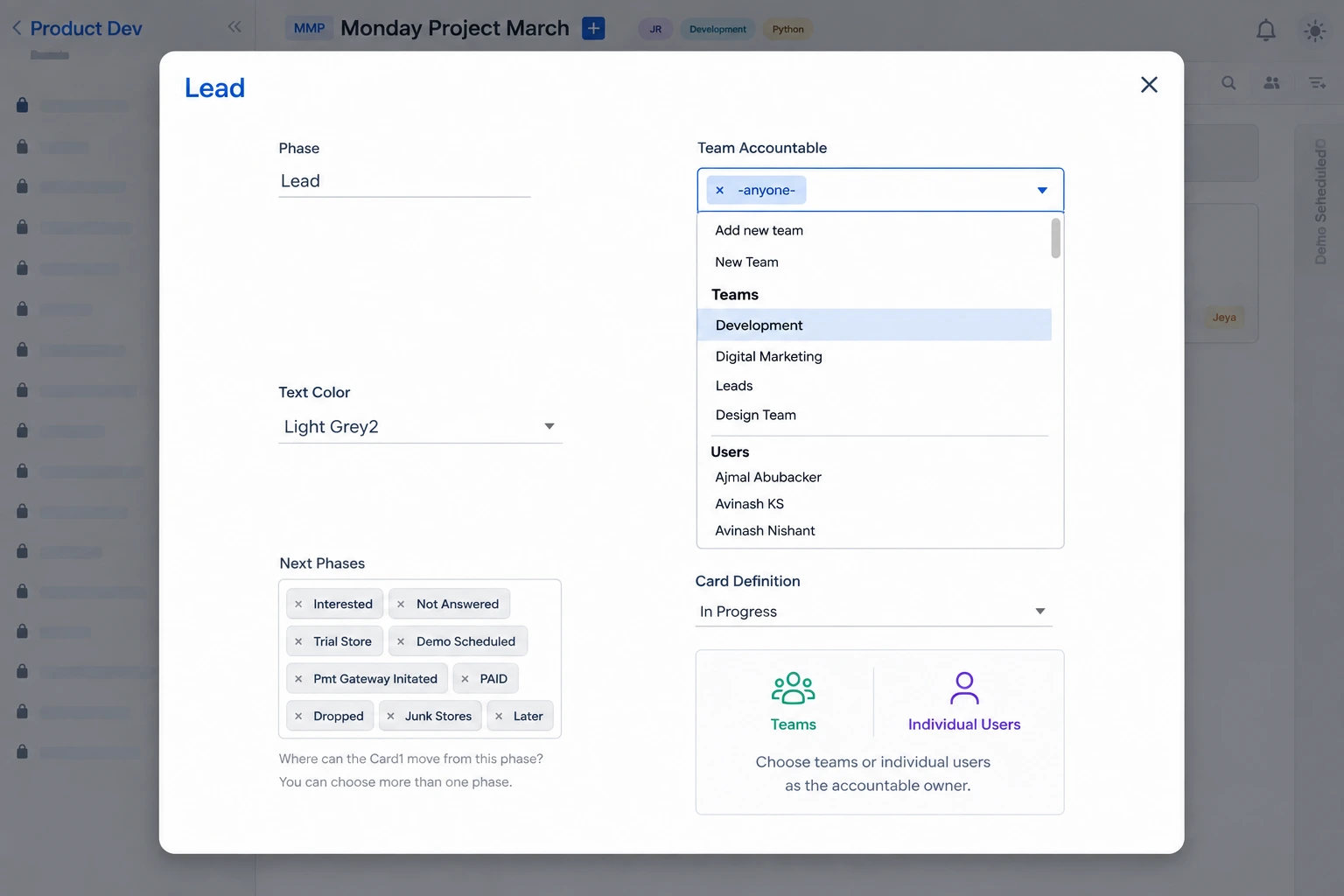
Previously, accountability could only be assigned at the team level. If a specific individual needed to be responsible, the workaround was to create a single-person "dummy" team — adding unnecessary overhead.
Individual accountability is ready to use. No additional setup or configuration is needed beyond having the required users available in the project or team.
How to use it
Navigate to the phase you want to configure.
Open the phase edit view.
See teams and individual users together.
The selected person owns the phase.
Why team accountability matters
Individual accountability removes the ambiguity between a shared queue and the person who needs to act next.
Everyone can see who is responsible for the next move.
Questions and blockers reach a named person immediately.
Replace single-person dummy teams with direct assignment.
Track responsibility and completion across every phase.
Related features
Assign the right person to every phase, balance responsibility across the team, and keep work moving with confidence.