Multiple sources
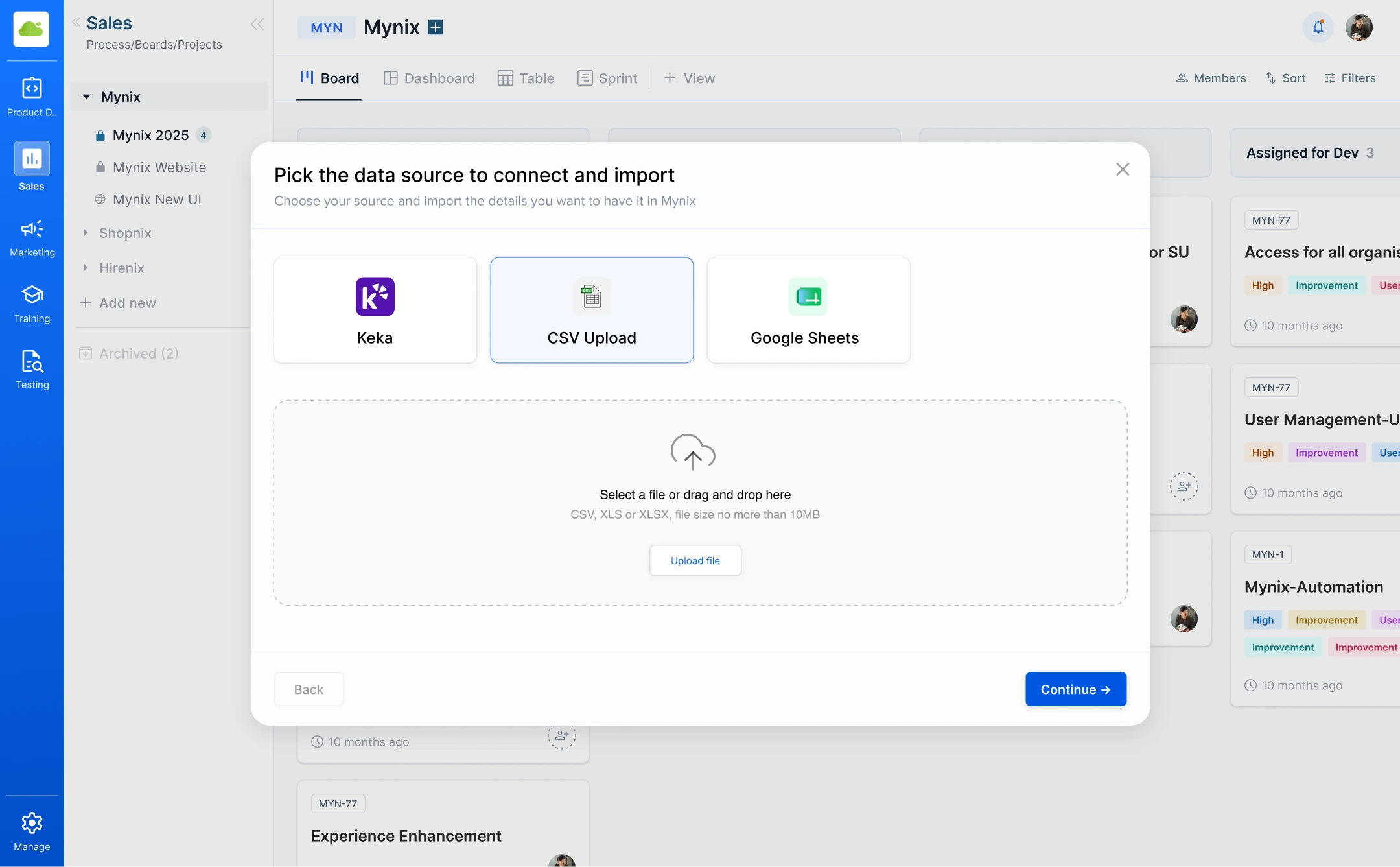
Import data from Keka, CSV, or Google Sheets.
Data migration
Bring existing data into Mynix with less manual effort. Organizations often maintain card or employee-related data across different systems and spreadsheets — Card Importer brings that information into Mynix from Keka, CSV, or Google Sheets.
Card Importer at a glance
Four things that make migration easier to manage.
Import data from Keka, CSV, or Google Sheets.
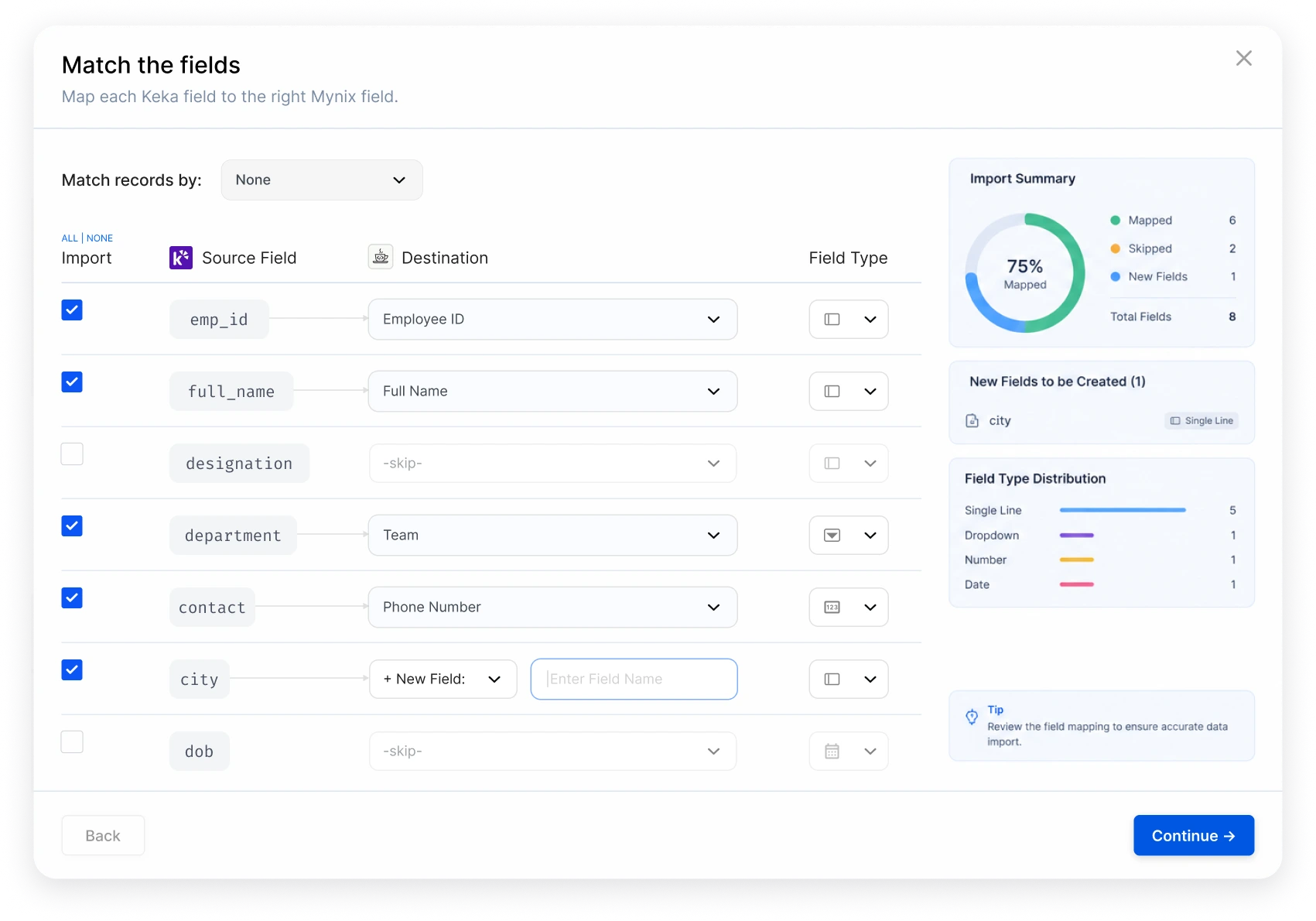
Match source fields with the appropriate Mynix fields.
Bring existing data into Mynix without manual entry.
Make importing larger amounts of data easier.
Why use Card Importer
Card Importer gives existing information a clear route into Mynix without asking teams to rebuild every record by hand.
Move existing records instead of recreating them one by one.
Map and review fields before anything is brought into Mynix.
Give teams a repeatable process for moving source data into work.
Every import follows the same steps so nothing is rushed or lost in translation.
Import from multiple sources
Import data from Keka by providing the required source details or access.
Upload a CSV file containing the data you want to import.
Import data from Google Sheets by providing the required source details.
Field mapping
Different sources may use different field names and structures. Card Importer lets you map source fields to their corresponding Mynix fields before importing.
Import data in a few steps
Six connected stops from opening the importer to completing the import.
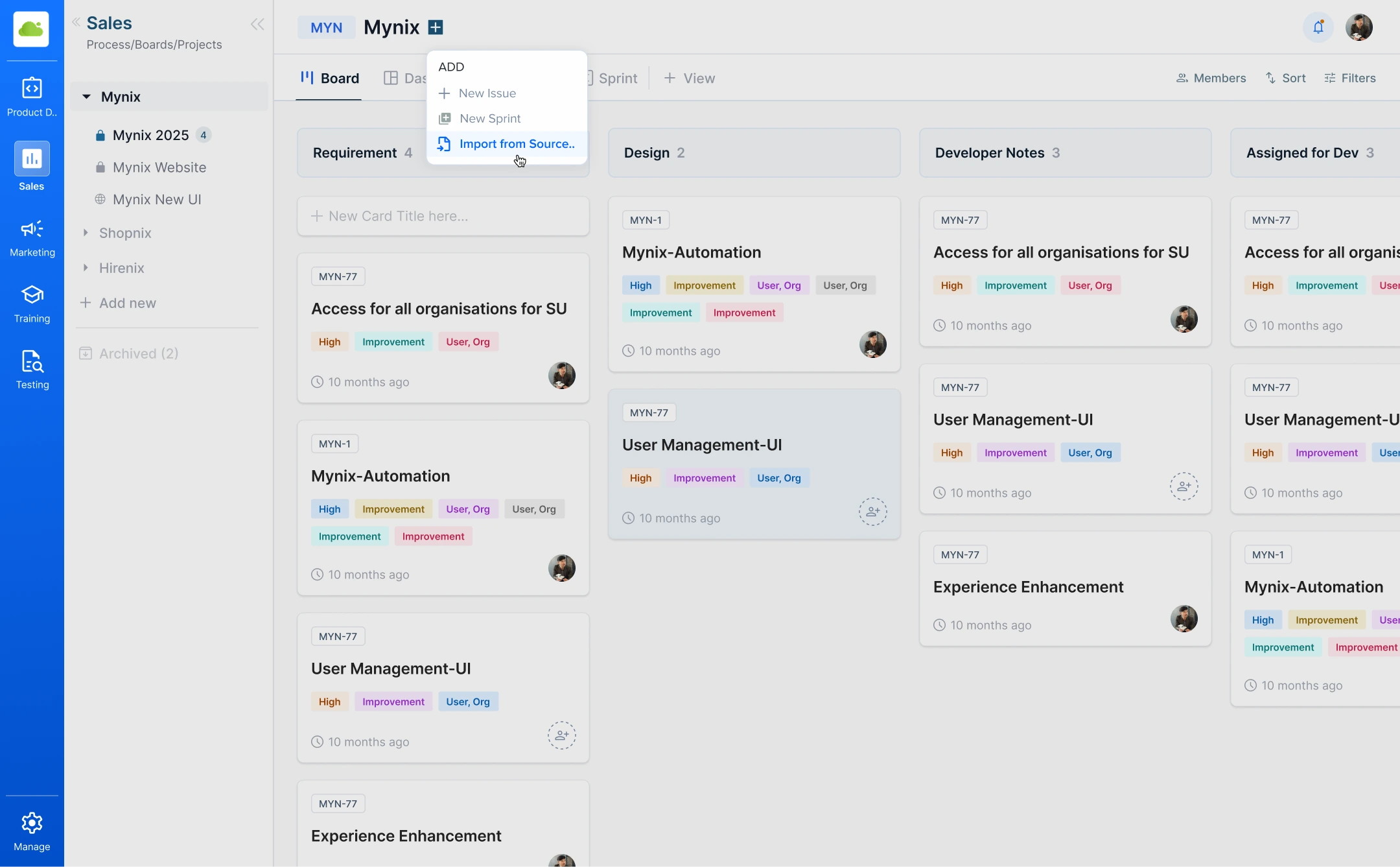
Open Card Importer in Mynix.
Choose Keka, CSV, or Sheets.
Upload the file or source access.
Match source data to Mynix fields.
Check the available records.
Bring the selected data into Mynix.
Where to find Card Importer
The importer lives inside your workspace so migration is a normal part of setting up a project.
Before you import
Select the required source and provide the necessary access details or upload the required file.
Provide the required source access or details.
Upload the required CSV file.
Provide the required source details.
Bring data into Mynix with less effort
Four outcomes that follow from a repeatable import flow.
Avoid entering existing data record by record.
Map source fields with the appropriate Mynix fields.
Check available records before starting the import.
Bring usable information into the process with less effort.
From existing data to Mynix
Three connected stages from source to destination.
Keka, CSV, or Google Sheets.
Match fields and check the available records.
Bring usable information into the workflow.
Select a supported source, map the fields, review the information, and start the import with less manual effort.