Share a form
Make a form from a project phase available through a public URL.
External information intake
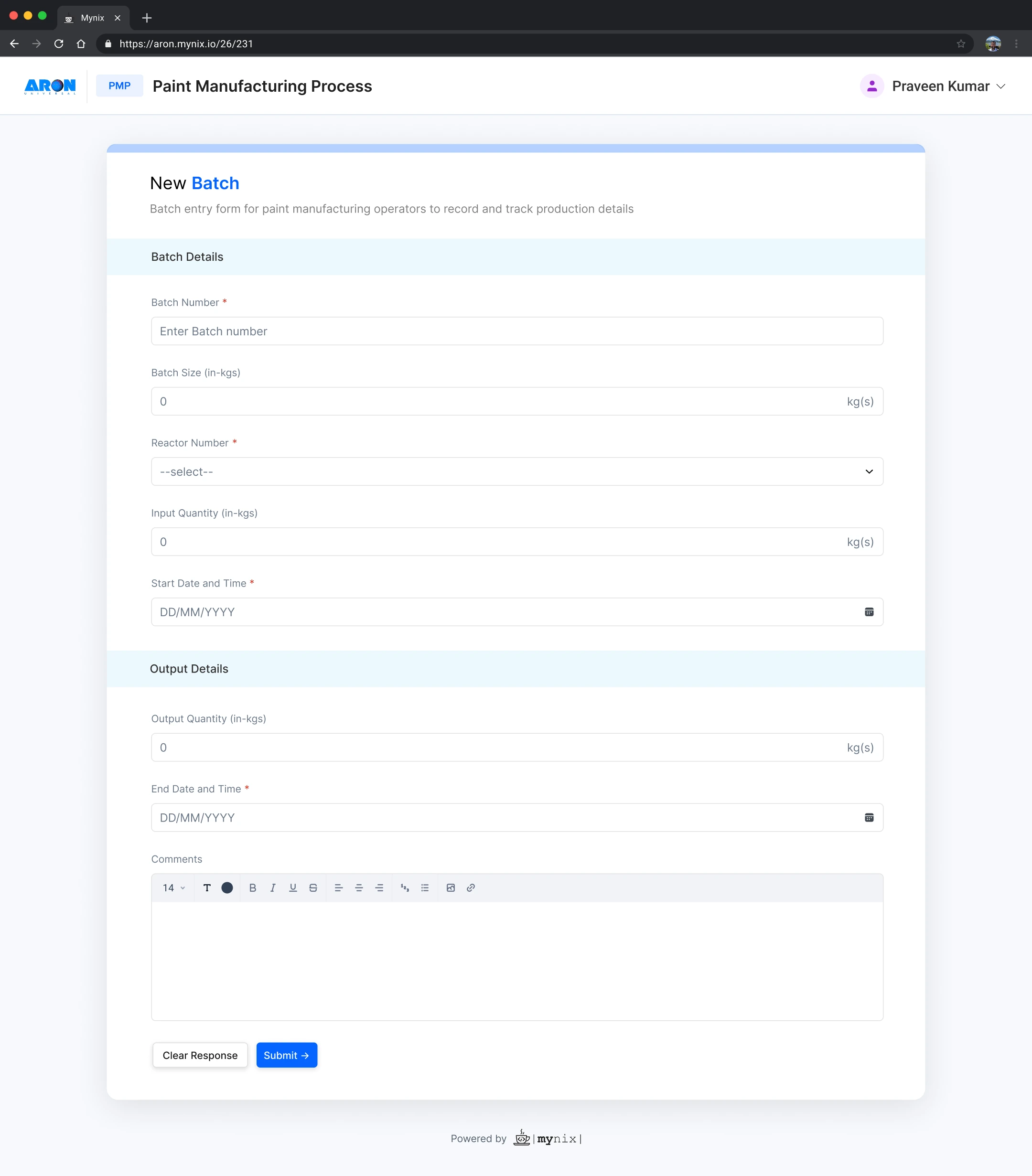
Collect information from anyone without requiring Mynix access. Public Forms let external users open a shared form in their browser, complete the configured fields, and submit information directly into the selected Mynix project phase.
Public Forms at a glance
Four things happen the moment a form goes public.
Make a form from a project phase available through a public URL.
Allow users outside your workspace to submit information.
Collect information through the fields configured in the form.
Bring submitted information into the selected project phase.
Why use Public Forms
Public Forms replaces the back-and-forth of email, spreadsheets, and manual re-entry with one direct path into the workflow.
Share outside your workspace
Public Forms allow a form from a project phase to be shared with users who are not part of the Mynix workspace.
Where to find Public Forms
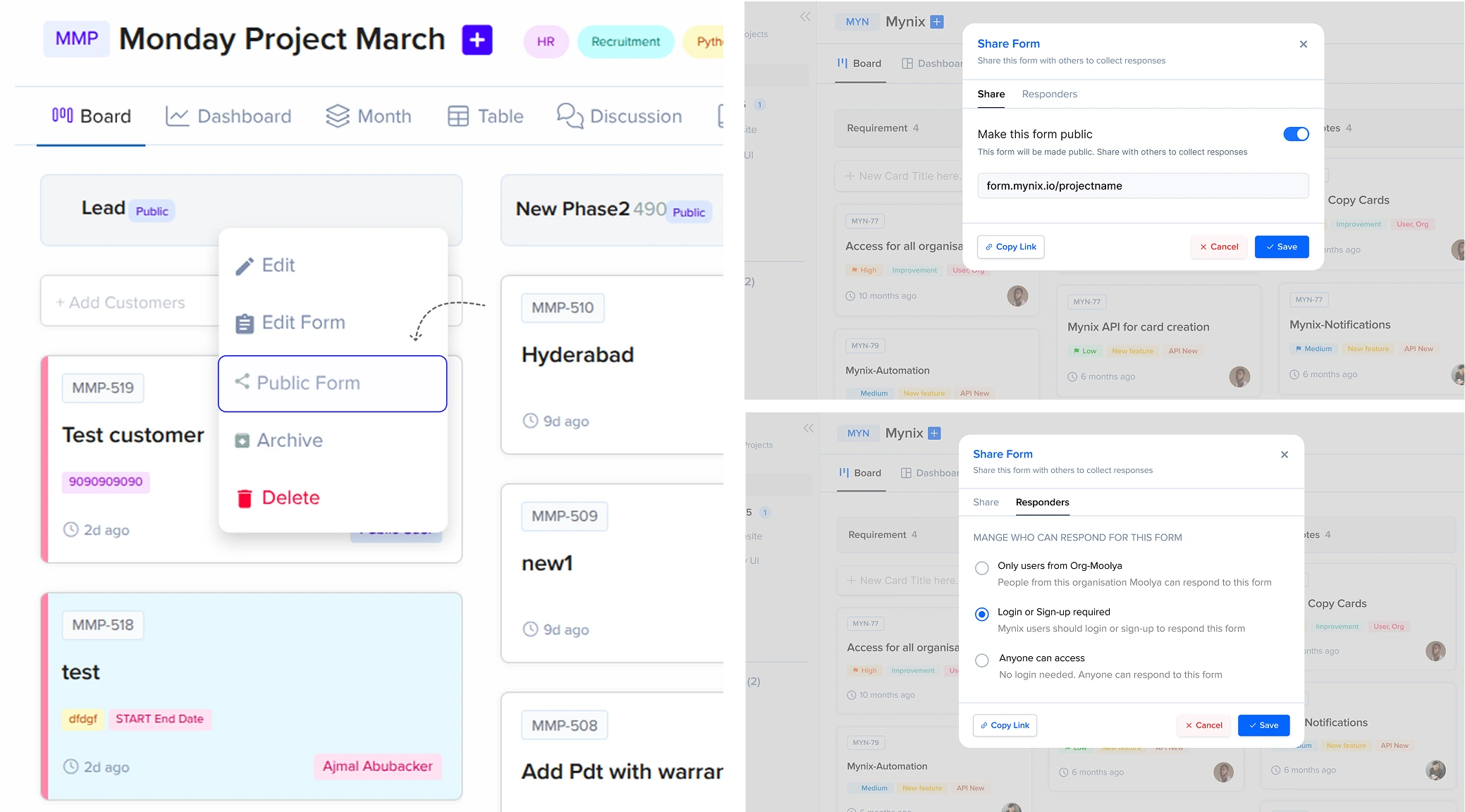
Public Forms are available from the menu of each project phase.
Go to the project that contains the phase you want to share.
Choose the phase whose fields will make up the form.
Reveal the phase menu controls.
Click the menu icon to view the phase actions.
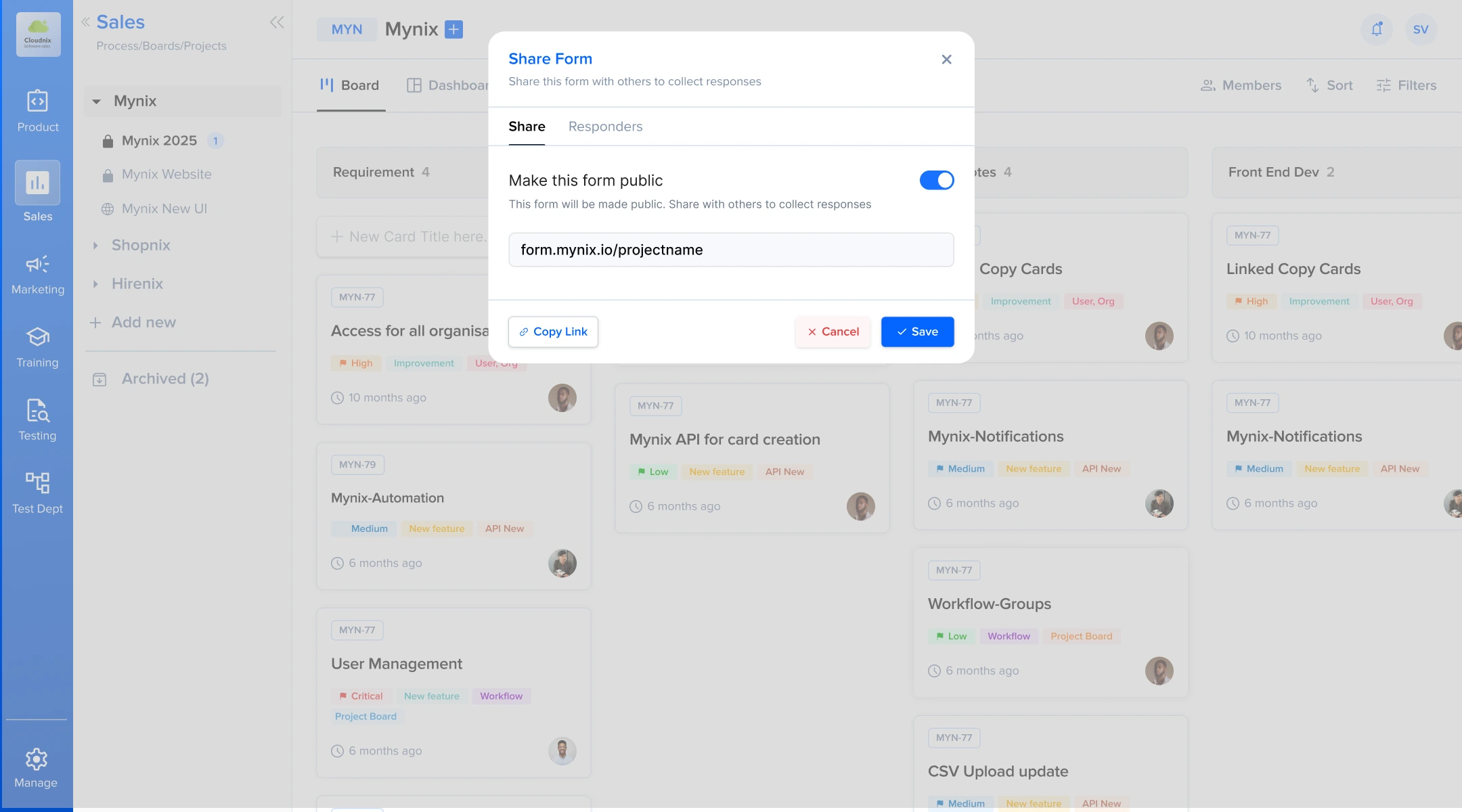
Open the Share Form window and configure the access.
Public Form access options
After opening Public Forms, the Share Form window lets you pick one of three access levels.
Only users from the organization can respond.
Users must log in or sign up to respond.
Anyone with access to the form can respond without logging in.
Setup
Open the required phase, use its three-dot menu, select Public Forms, enable the public form option, and copy the generated URL.
Send the link in email, chat, or any channel your external audience already uses.
Submission awareness
Know when new information arrives without manually checking your project. Enable the notification in Project Settings → Settings, then choose who should receive the alert.
Keep the project lead informed when a new submission arrives.
Give administrators the visibility they need to act on incoming information.
Notify the people who work directly with the records the form creates.
Deliver alerts through Email, In-App Notification, or Slack when the integration is enabled.
Each project can decide who receives the alert and through which channel.
The value of a direct intake path
Public Forms removes the handoff between an external response and the project workflow that needs it.
Receive information from users outside your Mynix workspace.
Give people one public URL to access the required form.
Use the fields configured in the selected project phase.
Avoid transferring submitted information into Mynix by hand.
Notify the right project users as soon as a submission arrives.
A connected submission journey
Each response follows a clear path into the project, and the right people can be alerted when it arrives.
Receives the shared form link.
Provides the configured information.
Information enters the selected phase.
Selected users can respond quickly.
Create a Public Form, share the link, and let Mynix capture the response and alert the people who need to act.