Open the inline field from START.
Fast capture for active planning
Card Quick Add
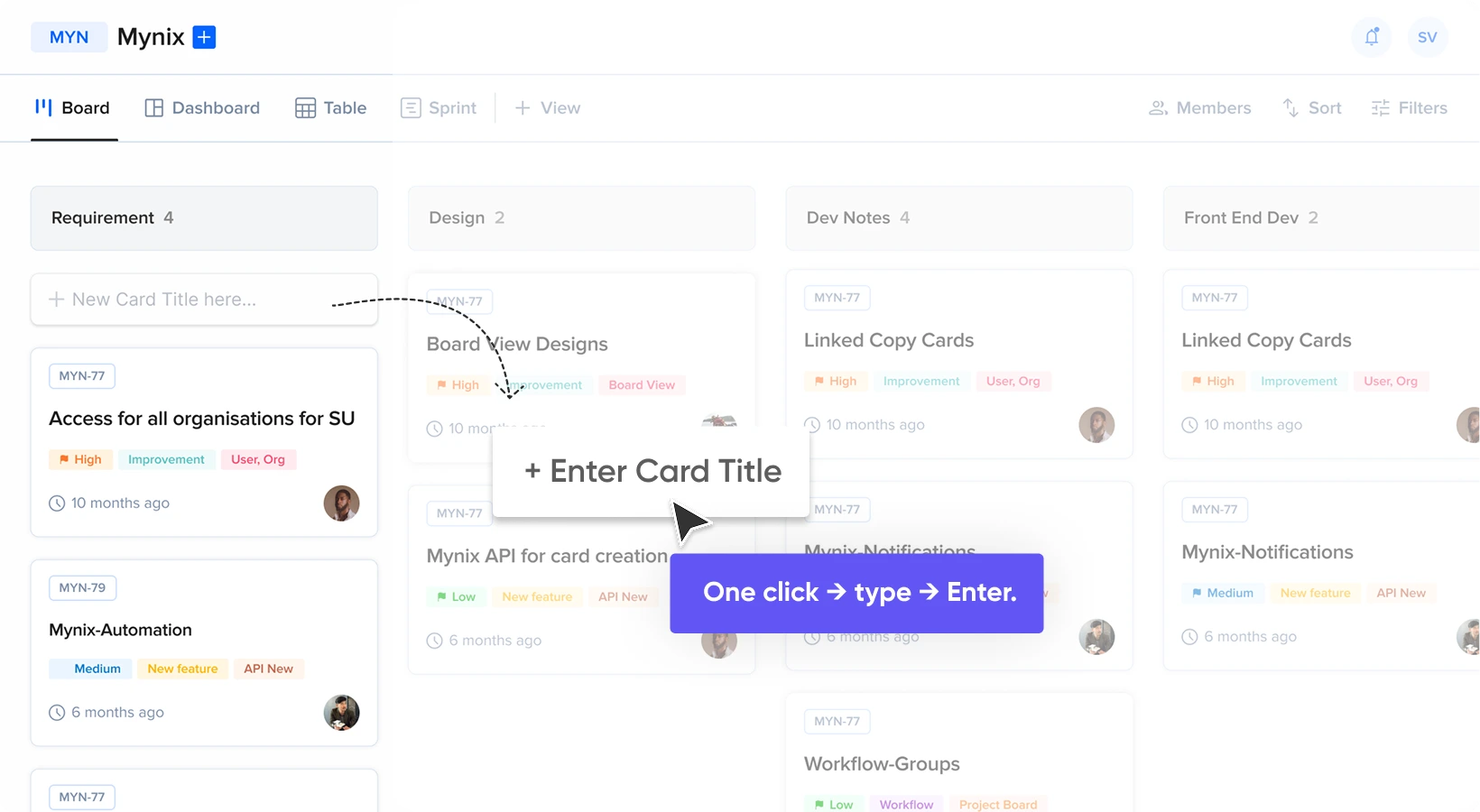
Capture tasks instantly. Add the details later. Create cards in seconds from the START phase, save the title, and keep adding the next idea without opening the full card form.
- boltInstant card creation
- playlist_addContinuous task entry
- edit_noteDetails later
- speedFaster planning
Why Quick Add matters
Capture the essential idea before the details slow you down.
Full card forms are useful when a work item is ready to be fully defined. But sprint planning, brainstorming, and task listing often begin with a title. Quick Add keeps that first step lightweight.
close Without Card Quick Add
The full form every time
- Open the full card creation form
- Enter required information
- Complete the form before saving
- Repeat for every new task
- Interrupt planning to enter details
check With Card Quick Add
Title first, details later
- Capture the title first
- Save with Enter or click-outside
- Keep adding the next card
- Enrich the card when ready
- Planning stays uninterrupted
Think → Type → Enter → Continue
Start where the work begins
Create cards directly from the START phase.
There is no need to navigate into a separate creation screen simply to capture a task. Go to Project Board → START Phase → + ADD CARD, type the title inline, and keep planning in place.
lightbulb
On the board, not in a modal
The feature is available directly on the board, where teams are already organizing and prioritizing work.
One simple interaction
Add a card in seconds.
Quick Add keeps the interaction deliberately small: create the title, save it, and make the next entry available immediately.
Name the task, idea, or work item.
Or click outside to save it.
The title becomes a new card.
Another card is ready to capture.
Build the list without reopening a form.
Capture first. Refine later.
Separate the idea from the information around it.
Quick Add does not replace the full card form. It gives teams a faster starting point, then lets them return to a card and add the details required by the workflow.
Capture
What needs to be done?
Card title
Refine when ready
description
Description
Add context and requirements.
person
Assignee
Decide who owns the work.
event
Due date
Set timing when it is known.
tune
Card details
Complete the workflow information.
Built for planning and brainstorming
Keep the list moving while ideas are fresh.
When the team knows several tasks need to exist but does not yet know every detail, Quick Add keeps attention on capturing the work.
Brainstorm faster
Capture ideas as they arrive without interrupting the conversation.
Reduce entry friction
Avoid unnecessary form completion when a title is all you need.
Build lists quickly
Create multiple cards continuously from the same input flow.
Refine later
Return to individual cards when more information becomes available.
Ready without setup
Start capturing work the moment you open the board.
Card Quick Add is enabled by default and requires no settings change or separate configuration. The interaction is part of the Project Board experience.
rocket_launch
Project Board → START Phase → + ADD CARD
Click + ADD CARD and start typing.
-
check_circle
Auto-enabled
The feature is available by default.
-
settings
No configuration
No setup steps are required before using it.
-
dashboard
Available on the board
Open the START phase and begin entering titles.
Turn ideas into actionable work
Remove the delay between thinking of the task and putting it on the board.
Quick Add helps teams plan faster, capture more completely, and enrich cards when the surrounding details are ready.
Faster planning
Create cards quickly during sprint and project planning.
Easier brainstorming
Capture ideas without interrupting the flow.
Efficient bulk entry
Add titles continuously without reopening the form.
Flexible refinement
Add descriptions, assignees, dates, and details later.
Less interruption
Keep attention on identifying the work that matters.
Related features
Keep quick capture connected to the workflow.
Once the card exists, use the surrounding tools to enrich it, assign it, and move it through the process.
Start with the task. Complete the details when you're ready.
Go to Project Board → START Phase → + ADD CARD. Enter a title, press Enter, and keep going.