Microsoft 365
Connect Microsoft 365 and Exchange Online with organisation-managed authentication and security.
Integrations · communication infrastructure
Bring your organisation's email infrastructure into Mynix with secure SMTP connectivity, automated notifications, customizable templates, delivery tracking, and workflow-driven communication.
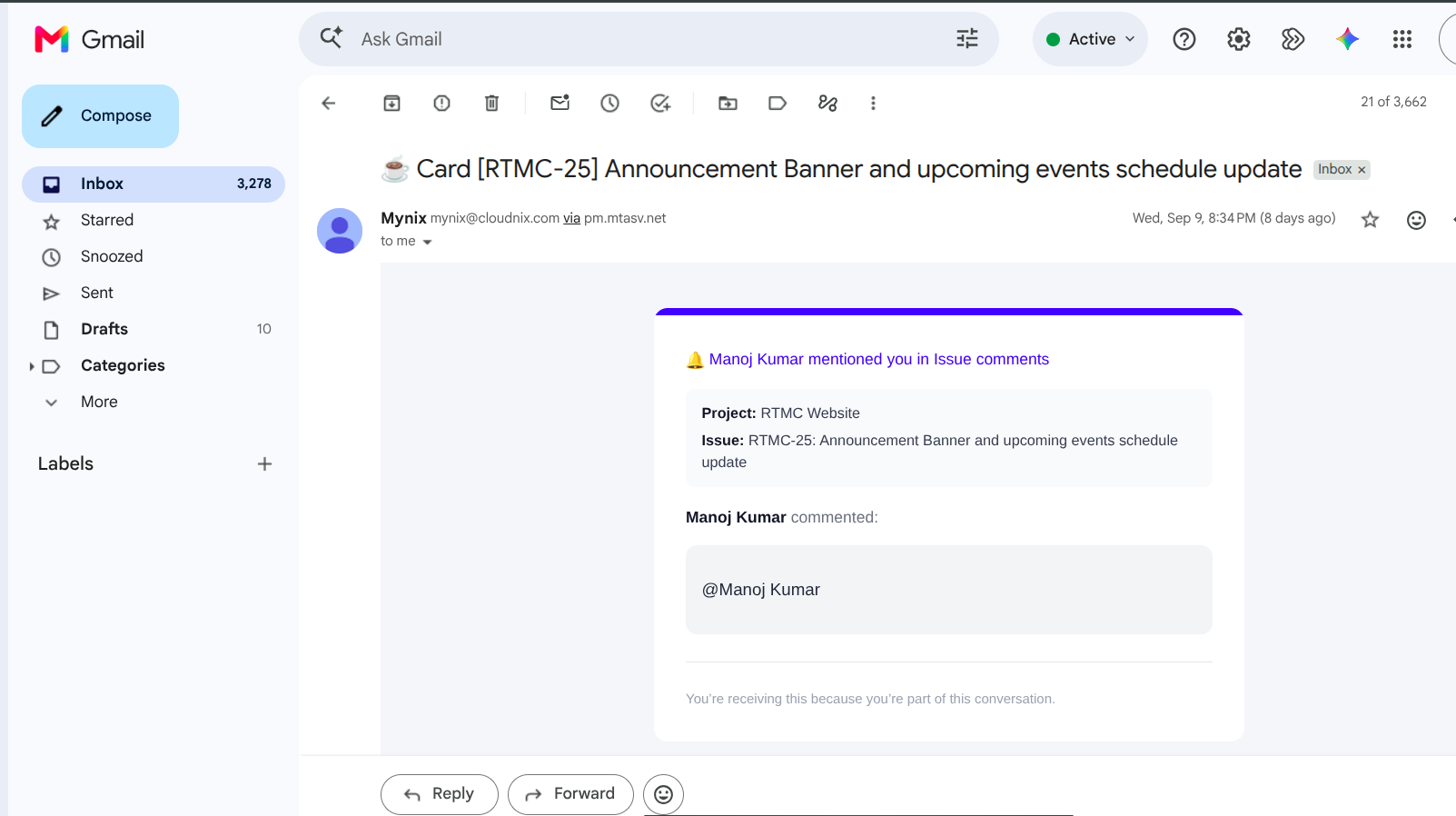
Connect your existing infrastructure
Email System Integration bridges Mynix workflows with the email infrastructure your organisation already uses. Once configured, Mynix can deliver notifications, reminders, alerts, reports, and other automated communications through your email environment.
Connect existing infrastructure while maintaining the security and authentication standards required by your organisation.
Connect an existing email server through secure SMTP settings.
Turn assignments, changes, reminders, and alerts into communication.
Use templates, dynamic content, and organisational branding.
Monitor critical email processing and delivery outcomes.
Configure secure SMTP delivery
Configure SMTP server details, ports, authentication, encryption, and secure credentials to connect Mynix with your mail delivery environment.
Connect Microsoft 365 and Exchange Online with organisation-managed authentication and security.
Use Google Workspace and Gmail for Business for workflow-driven mail delivery.
Connect specialist delivery providers when transactional email is the right fit.
Use any SMTP-compatible server that meets your organisation's requirements.
Security built into the connection
Email infrastructure often carries sensitive information. Secure communication and credential handling should be part of the integration, not an afterthought.
Use TLS or SSL to protect SMTP communication between Mynix and your email server.
Support OAuth 2.0 and modern authentication where the provider supports it.
Keep credentials protected rather than exposing them through workflow content.
Operate within your organisation's applicable data protection and compliance requirements.
Template management
Create email templates for different workflow events using dynamic content and organisational branding. Automated messages can remain useful, clear, and recognisable instead of looking like system-generated alerts.
Turn workflow events into notifications
Notify team members when work is assigned to them.
Keep stakeholders informed when cards move between phases.
Send configurable reminders before work becomes overdue.
Alert on SLA breaches, team changes, system alerts, and generated reports.
Control recipients and timing
Recipient rules, schedules, quiet hours, and frequency limits let teams control who gets notified, when messages are sent, and how often.
Build complex notification rules
Simple event notifications are useful, but real business processes often need field changes, conditions, business logic, and multiple criteria.
Detect a meaningful update to the data that drives the process.
Field changeEvaluate specific conditions, business logic, or configured criteria.
Business logicSend the appropriate template to the recipients selected by the rule.
Workflow eventWhere email matters most
Connect large-scale Mynix workflows with Microsoft 365, Google Workspace, or existing enterprise email infrastructure while maintaining security requirements.
Notify agents about urgent tickets, assignments, escalations, SLA breaches, and events requiring immediate attention.
Connect client and project communication with status updates, reminders, reports, and project notifications.
Keep every important communication moving
From secure SMTP configuration to templates, triggers, recipient rules, and delivery reliability, email becomes part of the workflow itself.
Set server, port, authentication, encryption, and credentials.
Use branding and dynamic content for workflow events.
Choose triggers, recipients, timing, and frequency controls.
Review processing, retries, failures, and successful delivery.
Connect your infrastructure, define how notifications should work, and let Mynix keep the right people informed as work progresses.