Create any work item
Sales leads, support tickets, tasks, requests, approvals, and operational issues.
Workflow visibility
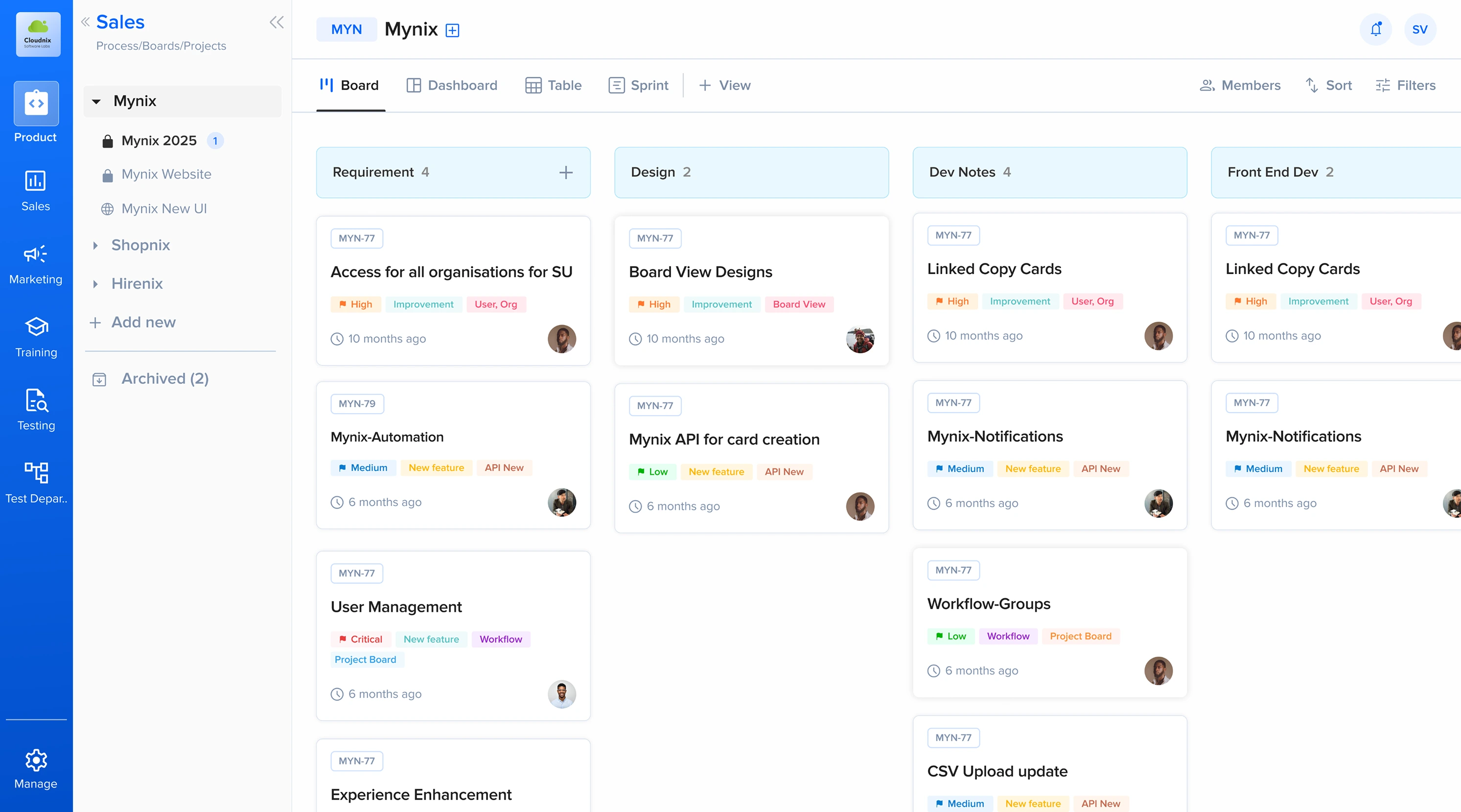
Create, organize, and track work across your business workflows. Turn business processes into structured, trackable cards that move through customized workflow phases. Create work items, assign ownership, organize information, change status with drag and drop, and monitor progress across multiple views.
What Card Management does
Each card carries the information, ownership, status, activity, and timing a team needs to move an item from start to completion.
Sales leads, support tickets, tasks, requests, approvals, and operational issues.
Give work a clear position inside the process.
Make the person or team responsible for the next action visible.
Follow status, deadlines, activity, and progress in one system.
Workflow phases and card movement
Cards move through customized phases so teams can understand progress without relying on email, spreadsheets, or separate tracking systems. Define stages for sales, support, HR, development, finance, or any custom process — and build the workflow around how work actually moves.
Match phases to the way the work progresses.
Change a card's state directly in Kanban view.
Carry status, assignment, timing, actions, and history.
Follow work from creation through its final outcome.
From individual cards to complete process visibility
Six connected stops from creating a card to closing the loop. Each step carries the context the next one needs.
Capture the work as a card.
Place it in the right workflow.
Make responsibility visible.
Move work through its phases.
Watch deadlines, activity, and progress.
Close the loop with a clear outcome.
Ownership, tags, deadlines, and activity
Keep the responsible person, classification, deadline, and activity history together in one working record. Clear ownership helps teams answer the important question immediately: who is responsible for this?
Assignment, tags, due dates, and activity live on the card — not in a separate tracker or thread.
Assign cards to users or teams.
Classify priority, department, customer type, or issue.
See approaching, due, and overdue work.
Understand phase, status, assignment, and information changes.
Card Management across your business
Give each department the phases, fields, rules, and views that fit its process.
Prospect → Qualified → Proposal → Closed.
Lead ownership, revenue information, customer history, and follow-up.
New → In Progress → Resolved.
Tickets, priority, SLA tracking, and communication history.
Applied → Screened → Interview → Hired.
Candidates, documents, onboarding, and process ownership.
Backlog → Development → Testing → Released.
Features, bugs, severity, assignments, and releases.
Smart templates and standardized work
Recurring work starts faster when its structure, fields, defaults, and classifications are already defined.
Reuse a consistent starting structure for customer issues.
Start every opportunity with the information sales needs.
Standardize the details required for operational work.
Give recurring people processes a reliable structure.
Templates reduce repetitive setup and help teams follow a consistent process whenever the same type of work is created.
Monitor bottlenecks and improve processes
Workflow activity reveals distribution, accumulation, timing, and the phases that need attention.
See how many cards sit in each stage — at a glance, without opening a single record.
Spot phases where work consistently accumulates before the pile-up slows the whole workflow.
Understand how long work remains in each stage so expectations match reality.
Use workflow metrics to make informed changes instead of guessing where to intervene.
Create cards for the work that matters, move them through the process, and give your team the visibility needed to keep work moving.