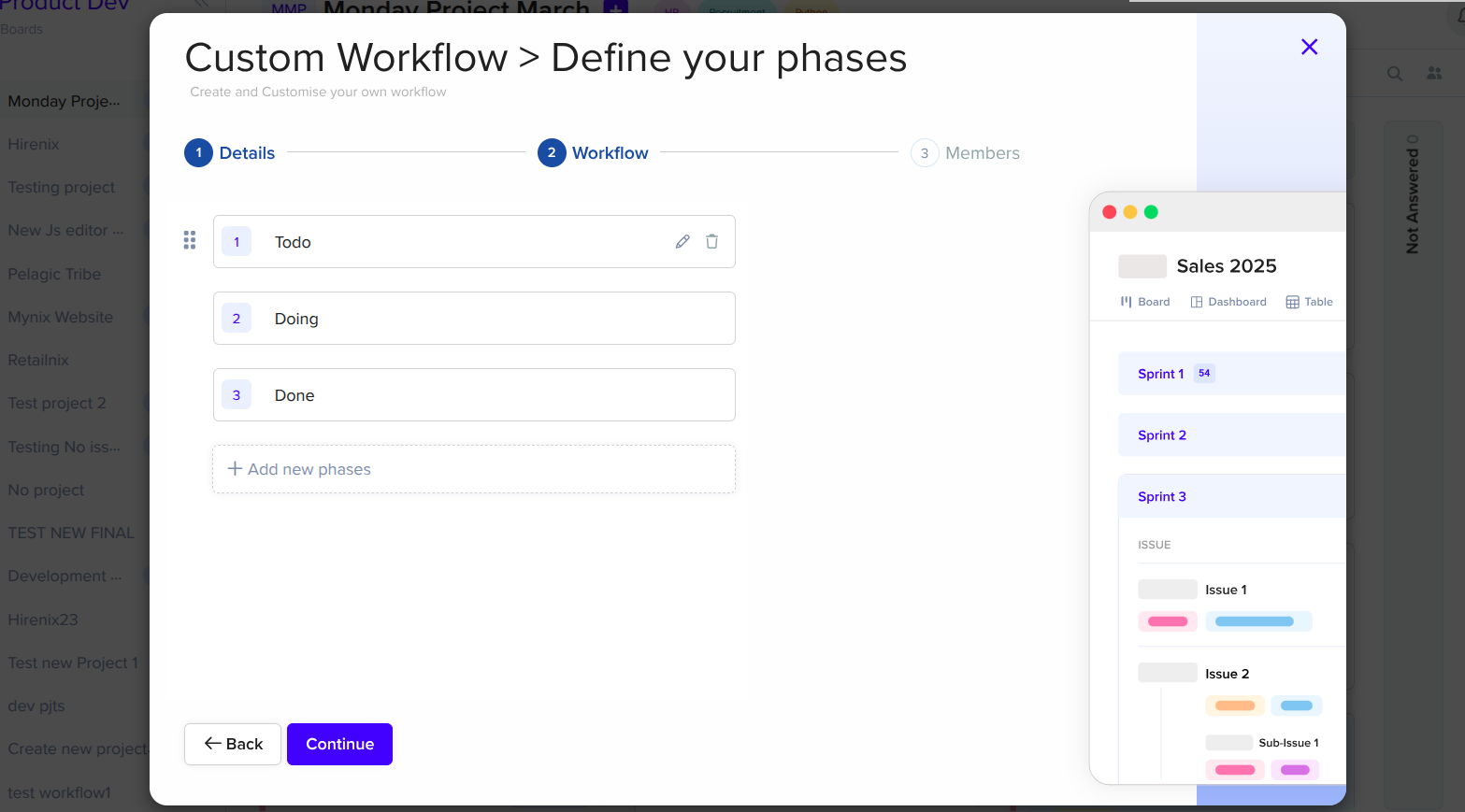
Define your phases
Create stages that reflect the real steps in your business process.
Workflow stage architecture
Build workflows that match the way your business actually works. Define the stages of your process, control how work moves between them, assign responsibility, and set rules that keep every workflow moving.
Phase Management at a glance
Give each phase the structure, responsibility, and rules your team needs to move work with confidence.
Create stages that reflect the real steps in your business process.
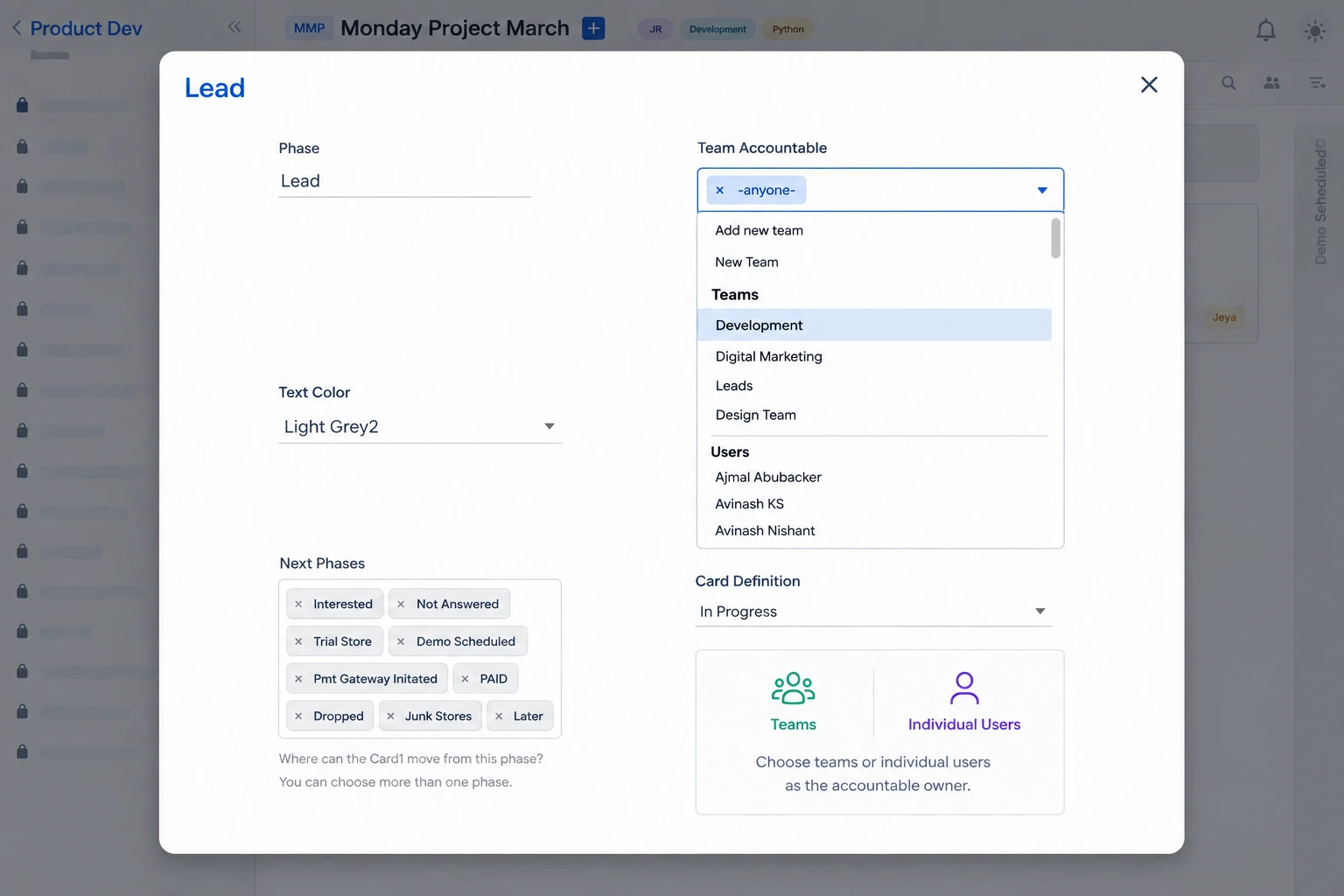
Define the paths work can take from one phase to another.
Make it clear which team or people are responsible at each stage.
Set time expectations for phases and monitor progress.
Turn process into workflow
Phase Management gives your team a shared map from incoming work to a completed process.
New request arrives.
Work has a home.
Responsibility is clear.
Rules are satisfied.
Process continues.
Build phases around your team
Create phases that are meaningful to your process, then make their ownership and expectations visible to everyone.
Keep every phase purposeful
A good workflow is more than a collection of columns. Each phase gives work a clear job and a clear condition for moving forward.
Define where work can move next and create linear or branching paths.
Make sure important information or conditions are satisfied before progress.
Give teams clarity about who handles work at each stage.
Set expectations for how long work should remain in a phase.
Simple or complex
Two shapes cover most business processes — a predictable sequence or a decision-led path.
For processes where work follows a consistent path from one stage to the next.
For processes where the next phase depends on conditions, decisions, or value thresholds.
SLA and timer management
Some stages take longer than others. Phase-level timing helps teams understand where work slows down and what to improve.
Set target response and resolution times, then let Mynix surface the moments a phase is falling behind.
Use timing analytics to recognize delays, compare teams, and improve the process over time.
One system, many processes
Four teams that benefit from a shared workflow engine.
Lead → Qualification → Proposal → Negotiation → Won
Opportunity progression, conversion, and time in phase.
Application → Review → Interview → Offer → Onboarding
Recruitment, employee onboarding, and approvals.
Submitted → Review → Approval → Payment → Complete
Requests, controls, financial review, and payment.
Request → Planning → Execution → Review → Complete
Consistent handling of recurring operational work.
From process to progress
Five stops from first draft to a workflow that keeps improving.
Create the right stages, give every phase a purpose, and build processes your team can follow with confidence.