Search across your project.
Find records using keywords and quickly locate the task, client, issue, or information you're looking for.
Find the right information
Find exactly what you need, without digging through everything. Search and filter large project datasets quickly, find what matters, and return to frequently used views whenever you need them.
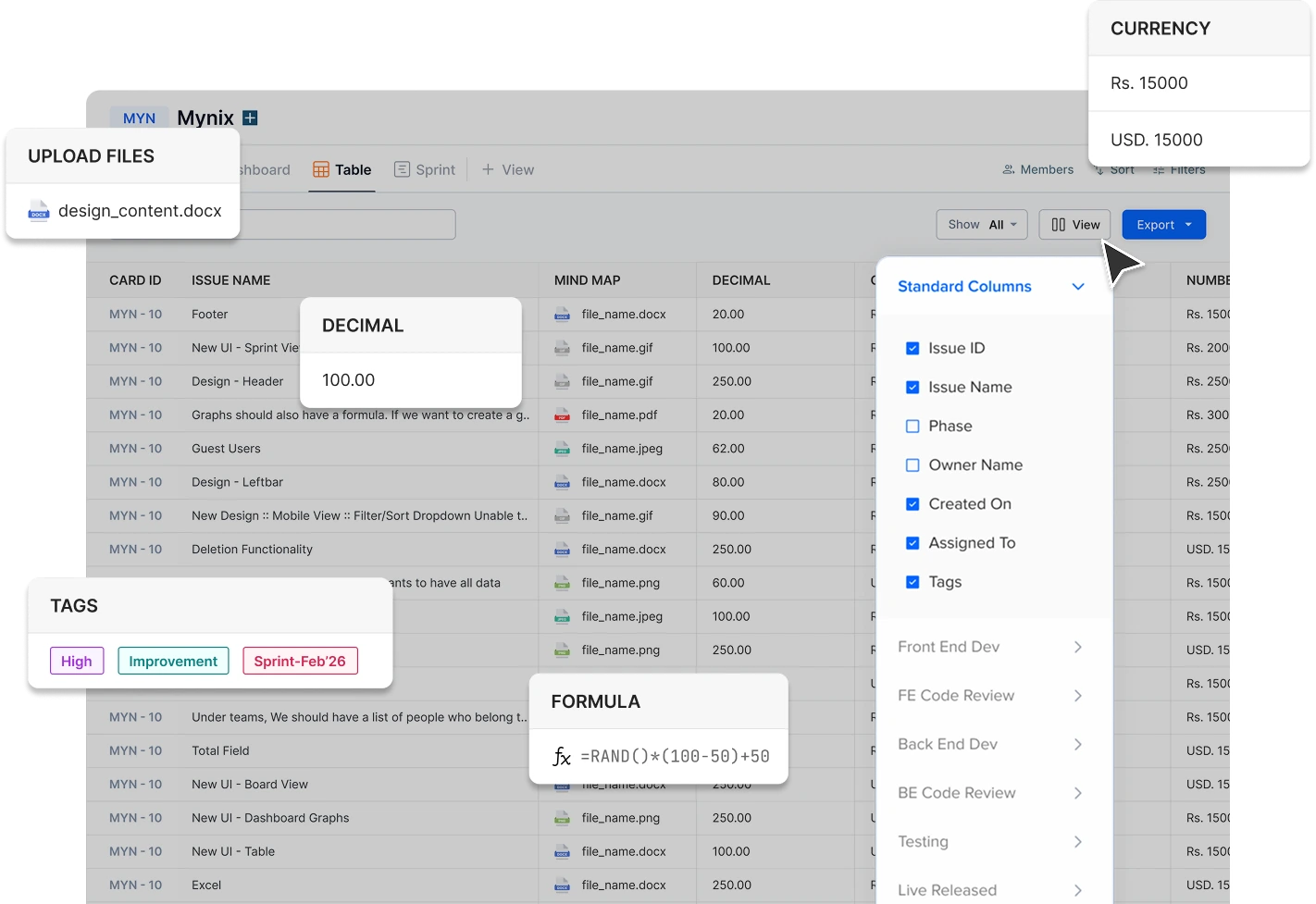
Search & Filters at a glance
Instead of scanning every record, use search and filters to quickly narrow your project down to the information you need.
Find records using keywords and quickly locate the task, client, issue, or information you're looking for.
Narrow results using status, priority, assignee, dates, teams, and project fields.
Use multiple filters together to create a precise set of records for review or action.
Keep frequently used searches ready for the next review.
Open a saved filter whenever you need the same focused view.
Available filter dimensions
Switch between the dimensions your team reaches for most.
Filter by assignee, creator, team, or ownership field to see what each person is carrying and where handoffs are waiting.
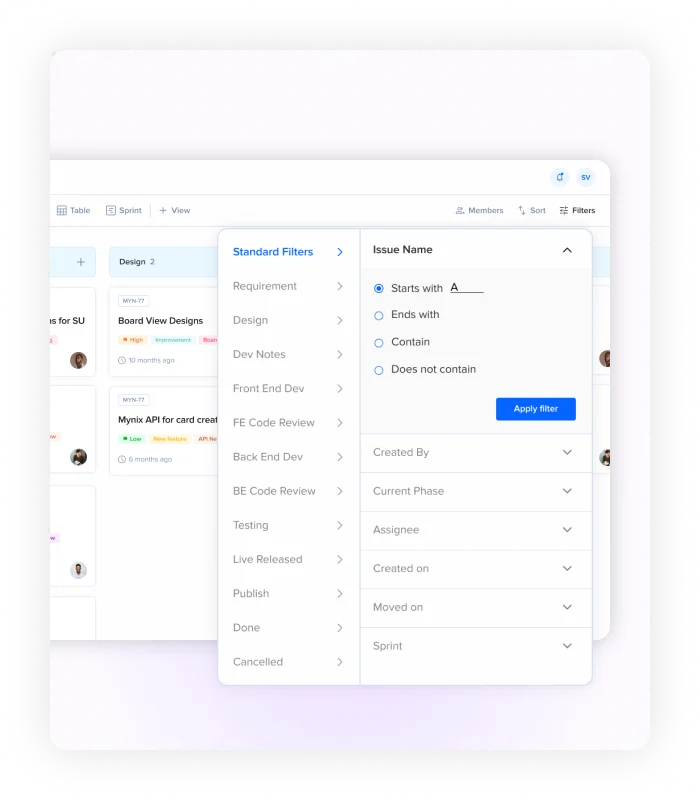
Filter by due dates, creation dates, or completion windows to surface what is overdue, what is coming up, and what has already closed.
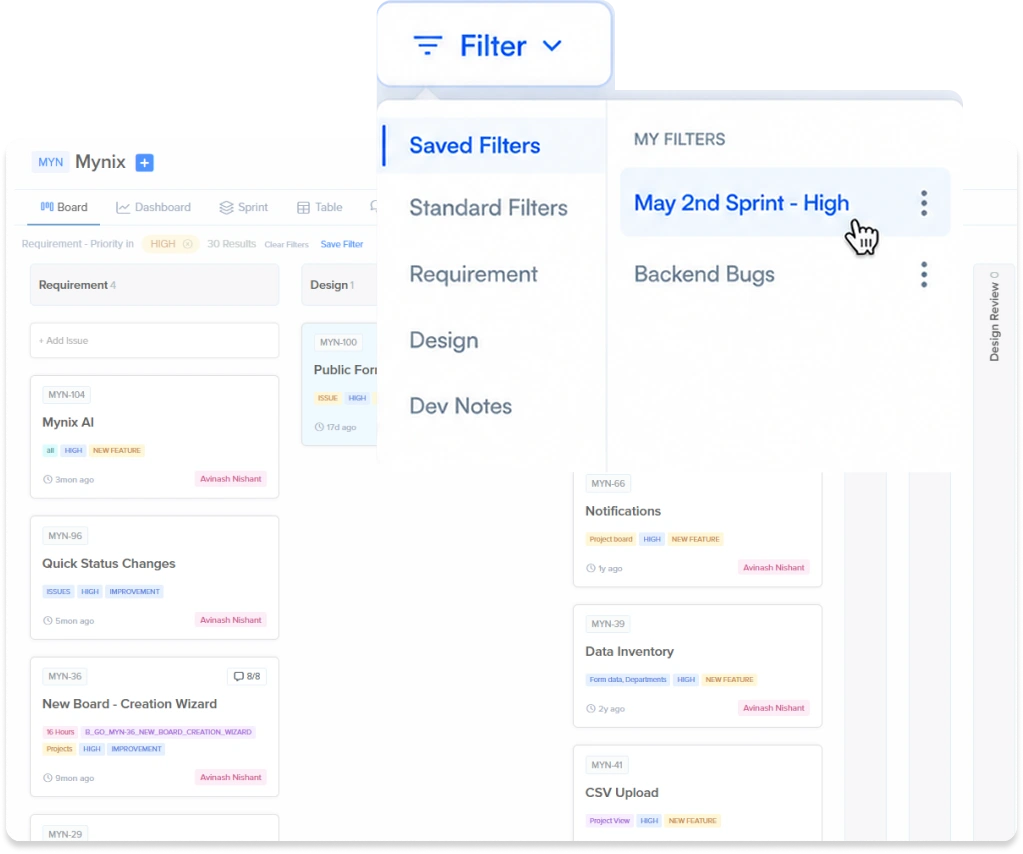
Filter by workflow state, priority, or completion to build a precise view of what needs attention next.
Project data at a glance
Counted across phases
records in the project
currently being handled
records approaching deadline
Faster to find the records that matter when search and filters work together.
Everything you can filter by
Made for the way teams work
Search & Filters fits naturally into everyday work across projects, operations, and large record sets.
Find tasks assigned to you, work due soon, or records needing attention.
Filter by status, priority, ownership, or deadlines to clarify progress.
Turn a large dataset into the records your team needs to act on.
Find the right records before reviewing, exporting, or sharing data.
A repeatable review rhythm
Search & Filters gives your team a faster way to move through project data and keep useful views within reach.
Find records by task name, person, client, or issue.
Apply conditions until only the relevant records remain.
Use multiple filters together for a precise working set.
Store the combination you use most for next time.
Saved views bring the same focused set back instantly.
Review, update, export, or share the result.
Save what you use often
Some questions come up again and again. Save frequently used filter combinations so your team does not have to rebuild the same search every time.
Create a saved view from the conditions you use regularly. The filter combination is stored against the project so it stays available to the team.
Open a saved filter whenever you need the same focused view. No need to remember which fields and values were selected.
Keep common views ready for daily checks and team reviews. The same question returns the same answer without rebuilding the search.
Saved views can be reused across the team so everyone reviews the same filtered set of records.
Keep your projects focused with powerful search and flexible filters.