Define your workflow
Set up the workflow according to the project's requirements.
Project setup
Create projects around the way your team works. Different projects may follow different processes — Custom Workflow lets you define the workflow while creating a new project, so the required phases are ready from the beginning.
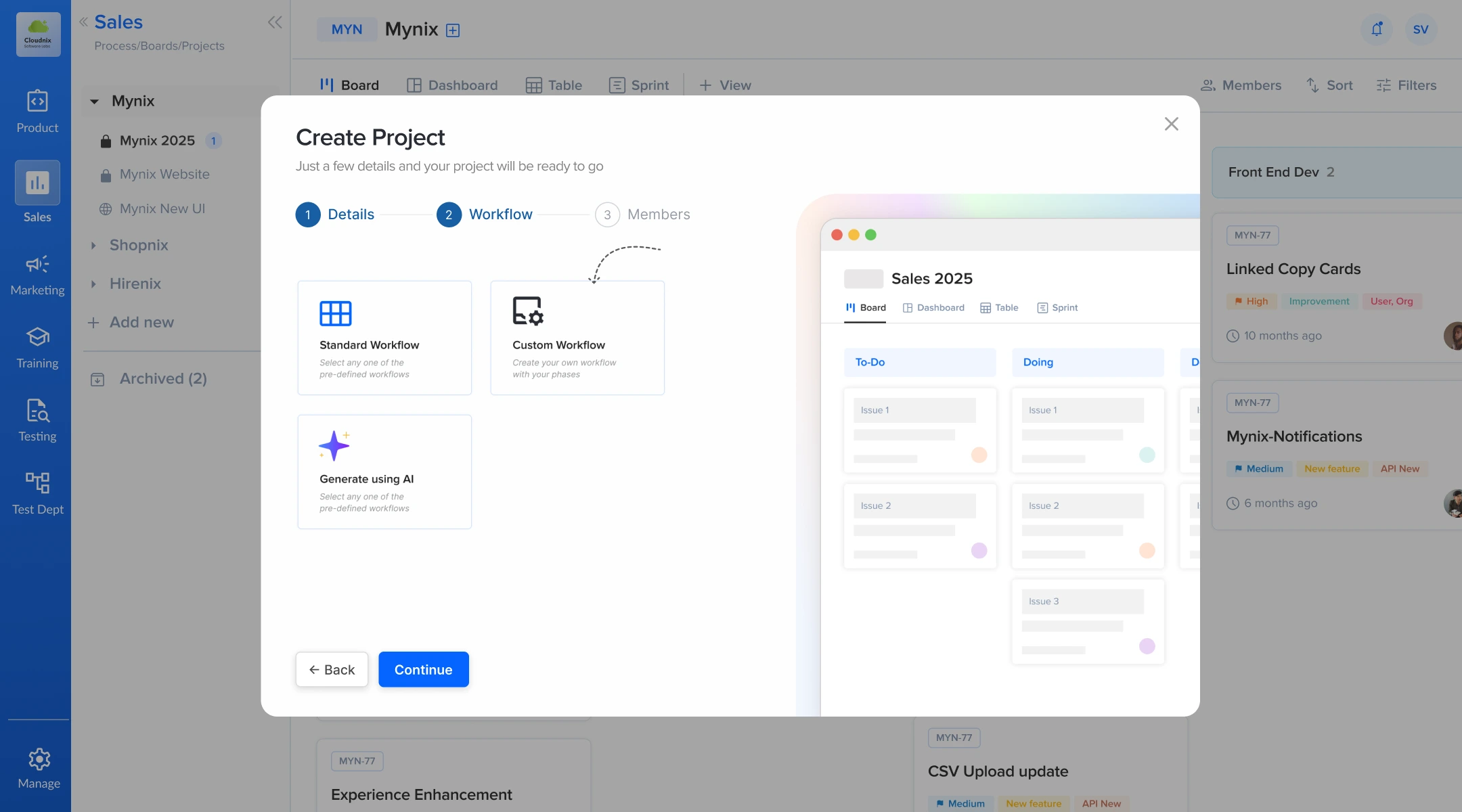
Custom Workflow at a glance
Four things that happen during project creation.
Set up the workflow according to the project's requirements.
Create the phases needed for the project's process.
Add, edit, reorder, or delete phases as needed.
Begin with the workflow already configured.
Why use Custom Workflow?
Not a structure the team has to undo later.
Build a workflow that fits your project
Custom Workflow gives users the option to create a workflow specifically for a new project. Add the phases required for the project's process and customize them as needed.
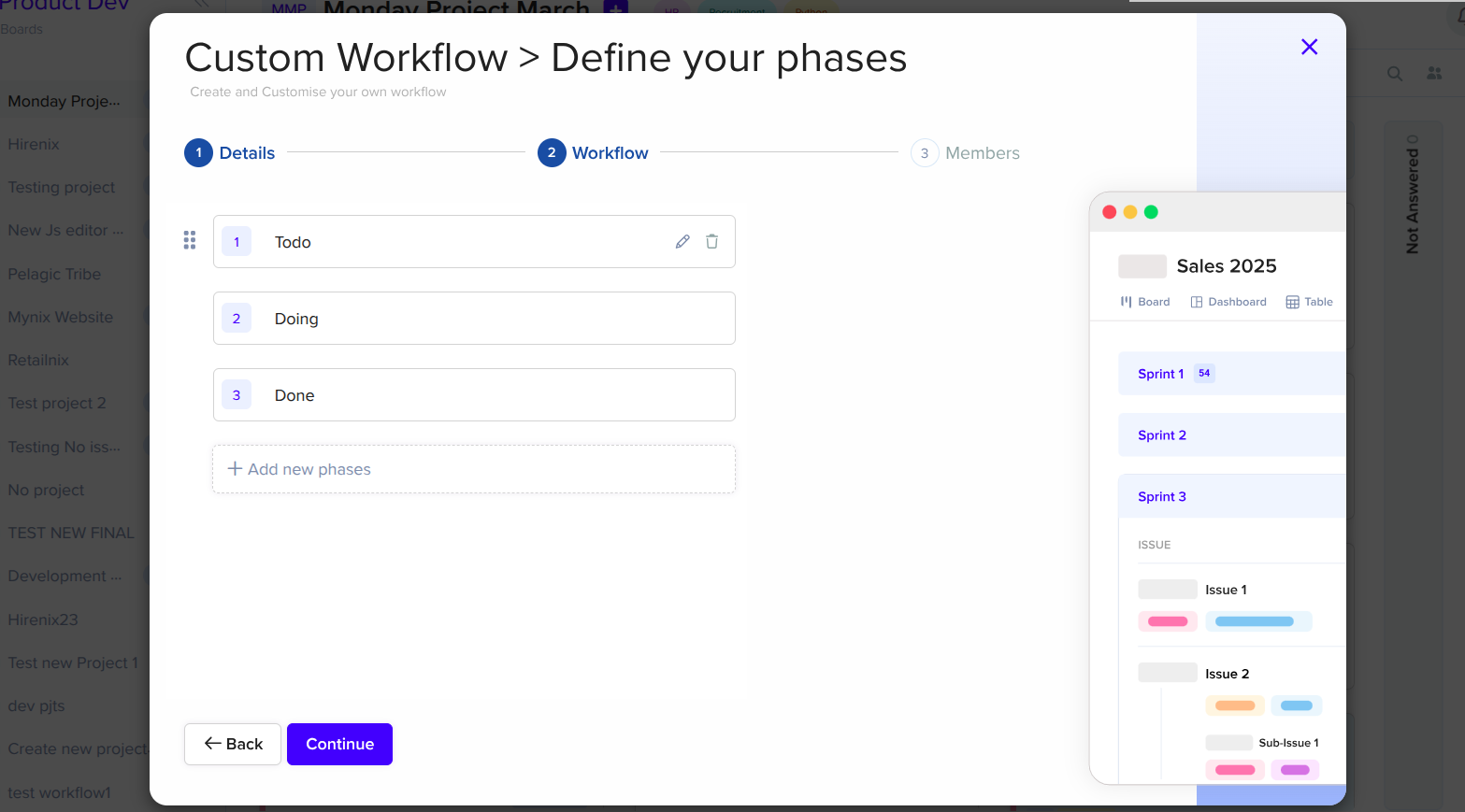
Customize your phases
Four operations cover every phase change you need during setup.
Create new workflow phases required for the project.
Modify existing phases when the process changes.
Arrange phases in the sequence your workflow requires.
Remove phases that are no longer needed.
Set up your workflow in a few steps
Four stops from starting a project to beginning work — revealed one step at a time.
Open the project creation flow.
Select the workflow option that fits this project.
Add, edit, reorder, or remove phases.
Create the project and begin work.
Start projects with the right structure
Choose phases around the real project process.
Give everyone a shared view of what comes next.
Change the structure when the project changes.
Move from setup into execution without extra configuration.
Build the right phases for the project, give your team a clear path forward, and start with a workflow that fits.