Basic Elements
Single Line Text, URL, and everyday inputs.
Purpose-built form components
The right field for every kind of business data. Build forms with a comprehensive library of field types, from simple text inputs to calculations, lookups, file attachments, and workflow-integrated fields.
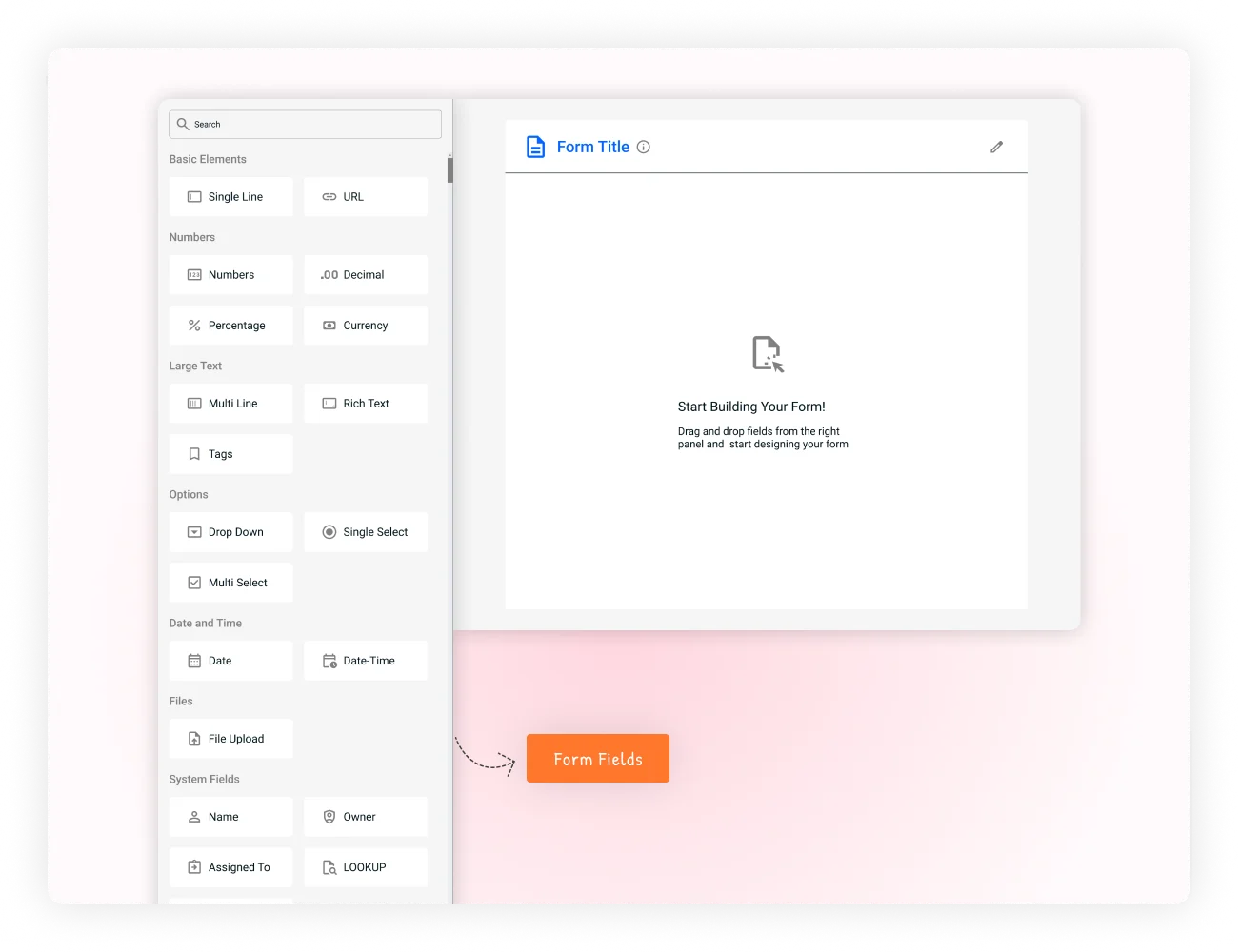
One library. Every input.
Configure its behavior and add it directly to your form.
Field types across the library
Categories keep the library tidy
Every field can be tuned to the process
Business processes the library supports
Browse the system
Fields are organized into categories so you can quickly find the appropriate component while building a form.
Single Line Text, URL, and everyday inputs.
Number, Currency, Percentage, and Formula.
Multi Line, Rich Text, and Tags.
Dropdown, Single Select, and Multi Select.
Date and Date Time pickers.
File Upload, Assigned To, and Lookup.
Text, content, and selection
Purpose-built fields make everyday information easier to enter, validate, search, and reuse later in the process.
Use the right component for names, links, descriptions, tags, and controlled choices instead of forcing every answer into a generic text box.
Names, titles, identifiers, labels, and short descriptions with character limits, placeholders, help text, visibility, and access controls.
Validated web addresses with HTTP/HTTPS handling, clickable links, and previews where supported.
Detailed responses such as requirements, comments, feedback, and meeting notes.
Formatted content for proposals, descriptions, email content, and knowledge-base information.
Multiple searchable keywords for skills, categories, project labels, and metadata.
Controlled choices for priority, status, departments, ratings, services, and preferences.
Numbers, dates, and calculations
Structured numeric and time-based fields keep important business data accurate and ready for reporting, approvals, and automation. From a number to a decision — capture raw values, add formatting and validation, then use formulas to derive results without asking people to calculate manually.
Whole-number values with numeric validation and range controls.
Decimal monetary values with configured currency formatting and prefixes.
Completion, discount, margin, growth, and performance measurements.
Totals, taxes, fees, scores, percentages, and other derived business values.
Calendar picker, range validation, formats, milestones, deadlines, and renewals.
Precise scheduling with time zones, business hours, and automatic formatting.
Configure every field
Give users the context they need and give the workflow information it can trust.
Make every question clear and useful.
Control required states, formats, ranges, and limits.
Control who can see or interact with information.
Set prefixes, suffixes, and field-specific formatting.
Common controls follow every field through the builder.
Apply available permissions and access configuration.
Use visibility settings to keep forms focused and relevant.
Use help text, placeholders, and clear requirements.
More than data entry
Advanced capabilities allow information to influence what users see, what gets calculated, and what happens next.
Show or hide fields based on other values where conditional logic is supported.
Calculate totals, scores, percentages, taxes, fees, and derived information.
Use important field changes as part of configured notification behavior.
Connect field information with phases, assignments, approvals, and process logic.
Designed for real work
Purpose-built fields help teams capture structured information without forcing every department into the same form.
Qualify and route. Lead qualification, customer intake, proposal requests, currency, dates, lookups, and assignments.
Support the employee lifecycle. Recruitment, onboarding, performance reviews, personal information, documents, and assignments.
Capture complete requests. Expenses, budgets, invoices, approvals, currency, formulas, dates, selections, and receipts.
Structure the signal. Tickets, priorities, categories, descriptions, attachments, customer lookups, and ownership.
Record what happened. Inspections, maintenance, incidents, equipment lookups, checklists, locations, and signatures.
Move ideas to approval. Campaigns, events, assets, audiences, budgets, timelines, milestones, and approvals.
Choose the right field, configure how it behaves, connect it to your business logic, and capture information your workflow can use.