Contextual communication
Discuss work without leaving the context where the next action will happen.
Contextual communication for active work
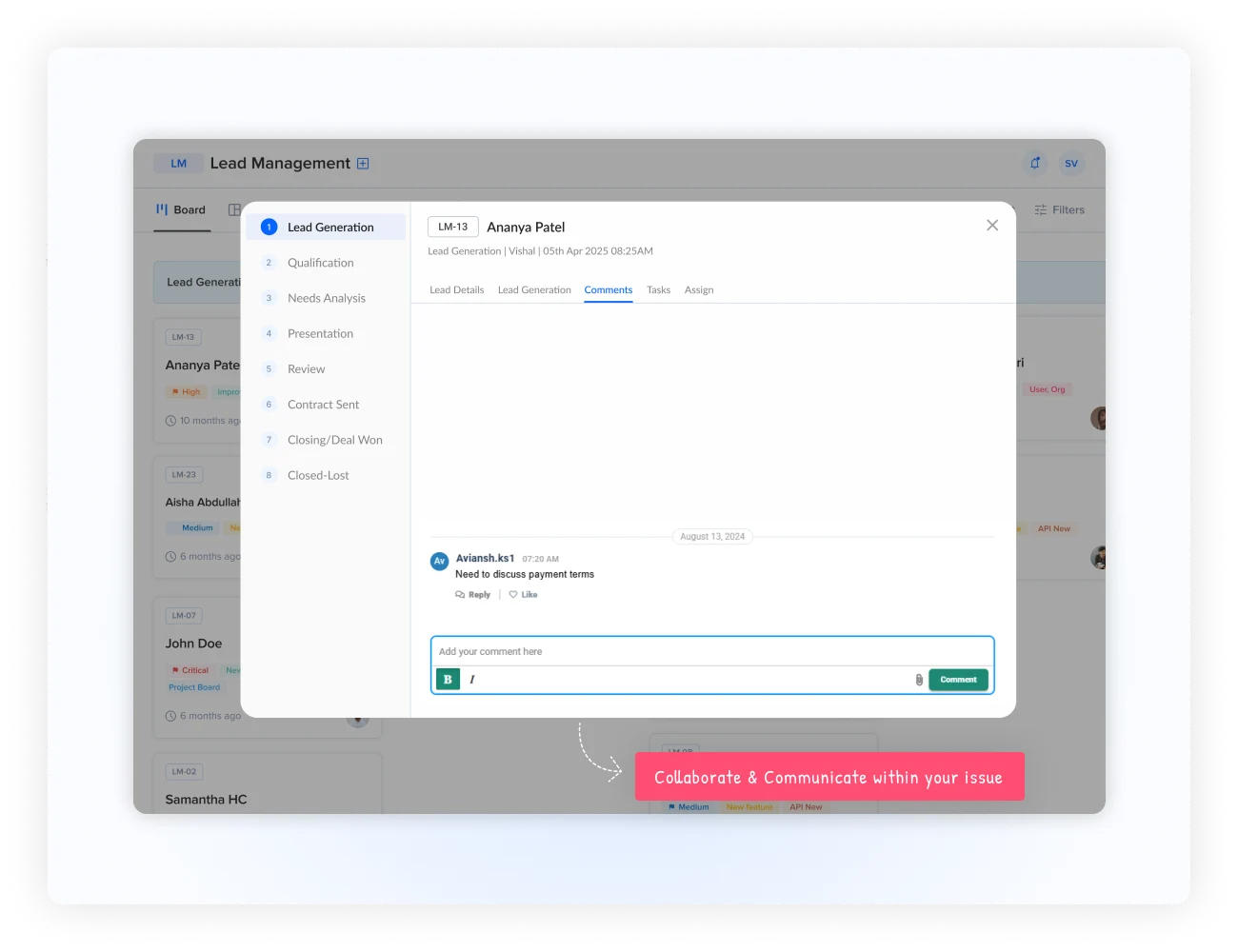
Keep every conversation connected to the work. Bring rich comments, @mentions, file sharing, threaded discussions, notifications, and real-time updates into the work item where they belong.
What collaboration changes
Keep discussions, decisions, files, and responses beside the task, issue, project activity, or customer request they belong to. The conversation becomes part of the work item's history instead of another disconnected channel.
Discuss work without leaving the context where the next action will happen.
Mention the people, teams, or roles whose attention is required.
Keep documents, images, screenshots, and links alongside the discussion.
Preserve decisions, replies, and supporting information with the work history.
A full-featured comments experience
Collaboration turns a basic comment stream into a structured communication layer. Use rich formatting for detailed updates, then keep the conversation organized with direct replies and threads.
Use formatting, lists, headers, quotes, links, and code snippets for clear communication.
Reply to a specific comment, follow the chronology, and collapse branches that are not relevant.
Keep clickable links and supporting references close to the decision they explain.
Return to the full context when a new person joins or a decision needs revisiting.
Bring the right people in
Type @ to involve a person, team, or role. Mentions help request input, escalate an issue, assign attention, ask for approval, and keep stakeholders connected without creating a separate message elsewhere.
The payment integration is ready for testing. @QA Team Please validate the checkout flow on staging.
Share the material behind the decision
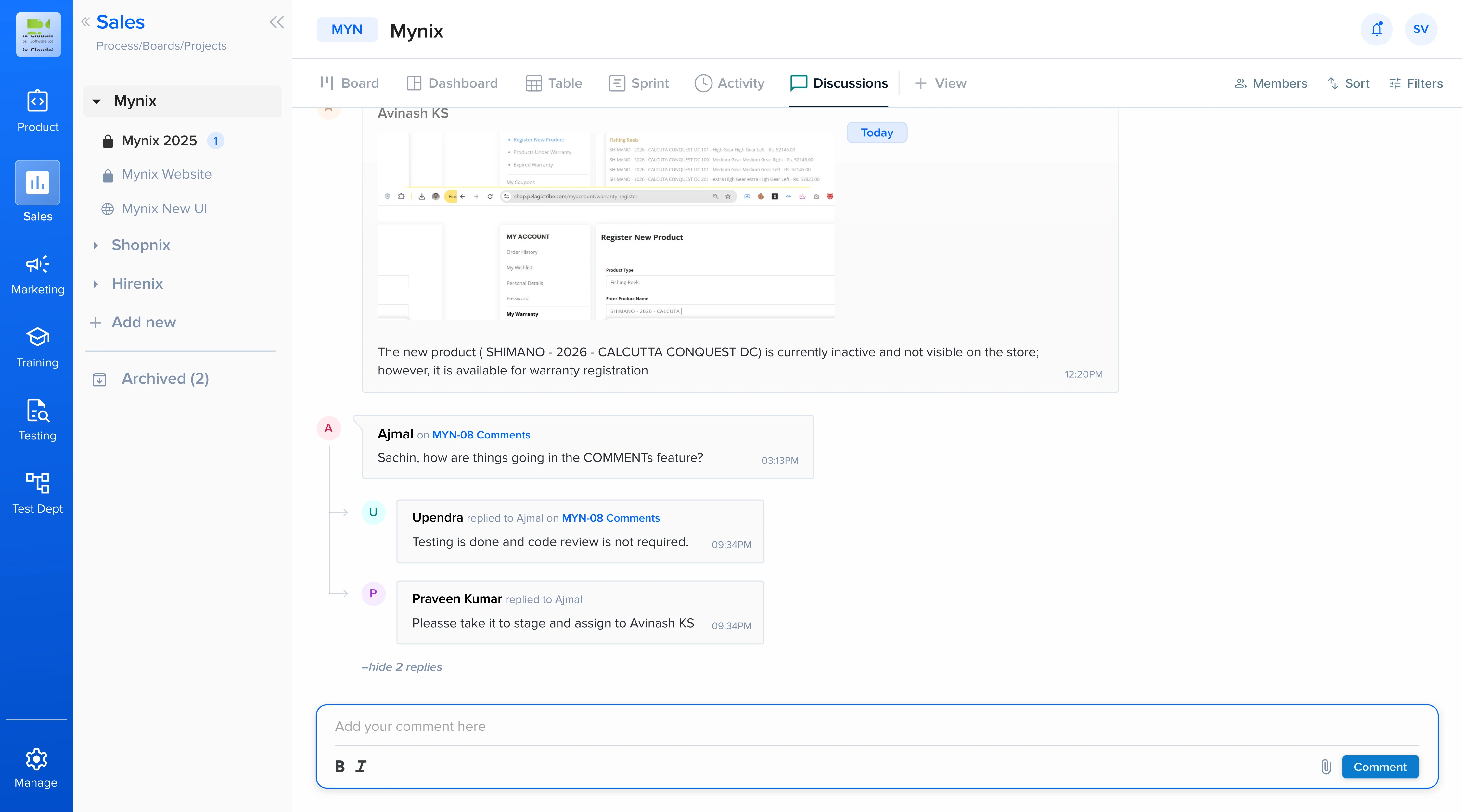
Attach documents, images, screenshots, and external resources directly to comments. Drag and drop uploads, preview images, and document links keep supporting information accessible to everyone working on the item.
Attach supporting files directly through the commenting interface.
Review visual references in the conversation without leaving the work item.
Keep receipts, specifications, feedback forms, and other materials close to the relevant discussion.
Keep complex conversations organized
When work generates several questions and responses, direct replies keep each exchange together instead of turning one comment stream into an unstructured wall of text.
Respond directly to the message you are addressing.
Keep questions, answers, clarifications, and follow-ups together.
Collapse or expand threads to follow the conversation that matters.
Complex discussions remain readable instead of burying the signal in a wall of text.
Real-time collaboration
Collaboration keeps people up to date without asking them to repeatedly refresh or monitor every work item manually.
Know when someone mentions you, replies to your comment, or adds relevant information.
Comments and file uploads can appear for people viewing the same work item.
Understand who has seen important comments and whether participants are up to date.
Use likes, approvals, or emoji reactions for quick acknowledgement without extra noise.
Collaboration across the business
Use the same communication layer for customer conversations, internal coordination, reviews, and technical delivery.
Share call notes, coordinate proposals, request approvals, and attach pricing materials.
Escalate technical issues, share troubleshooting steps, and document customer communication.
Share interview feedback, coordinate with hiring managers, and keep candidate context together.
Coordinate code reviews, request testing, discuss solutions, and document fixes.
Search, edit, and manage
Collaboration is not limited to creating and replying. As discussion history grows, teams can edit or remove comments, preserve revision transparency, search for decisions, filter the conversation history, and control access to shared information.
Correct or update information while keeping revision history visible.
Remove comments when necessary with appropriate history and control.
Locate decisions and discussions without manually scanning every work item.
Narrow discussion history to the information relevant to the moment.
Keep useful conversations open while restricting sensitive discussions to the right people.
From conversation to completed work
When conversations remain connected to work, they become a reusable record of decisions, files, context, and follow-up.
Keep discussions attached to the work they support.
Preserve decisions, files, and responses as history.
Move work-related conversations into shared context.
Give teams the same discussion and supporting information.
Help new participants understand decisions faster.
How a conversation moves work forward
Start from the relevant item.
Share the update.
Make the message actionable.
Build the context.
Keep it with the work.
Related features
Collaboration works best with the tools that assign work, preserve history, and connect related items.
Give your team rich, contextual collaboration without separating communication from the work it supports.