Enable SLA
Turn on time-based monitoring for the project.
Workflow timing controls
Track time. Spot breaches. Keep work moving. Make time-based commitments visible across every stage of your workflow with phase-level SLA rules and automatic breach indicators.
What Card SLA does
Cards can remain in a phase longer than expected without anyone realizing that a commitment has been missed. Card SLA adds time-based controls that automatically monitor response and resolution timelines.
Mynix calculates elapsed time against the rules configured for each project phase and updates the card status automatically.
Track each card against the applicable response and resolution timelines.
See whether work is progressing within its defined timing window.
Identify delayed work immediately without manually calculating elapsed time.
Define SLAs at the phase level
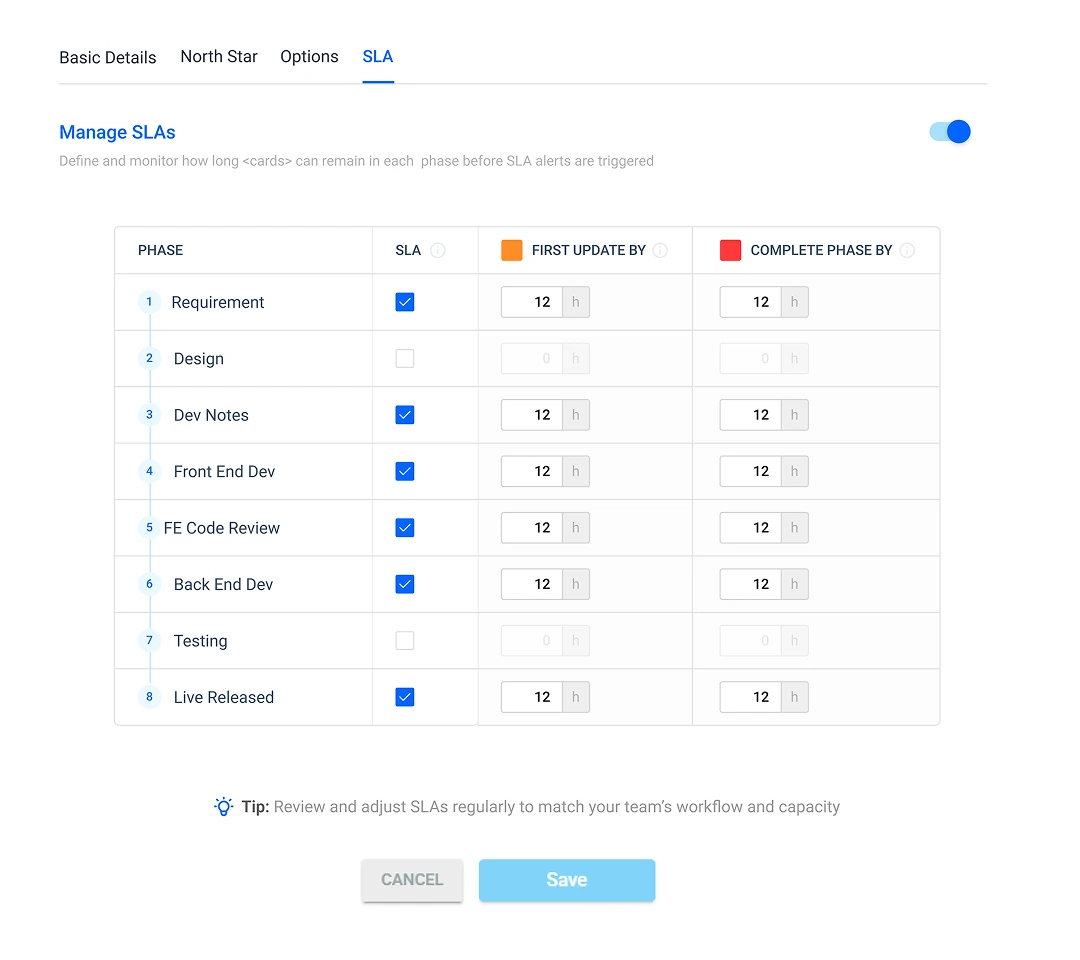
Configure Card SLA from Project → Settings → SLA. Set the time required for each phase instead of forcing the entire workflow into one generic deadline.
Turn on time-based monitoring for the project.
Define response and resolution hours for each phase.
Timers begin automatically when a card enters the phase.
Use the board indicators to prioritize delayed work.
Two clocks, one clear view
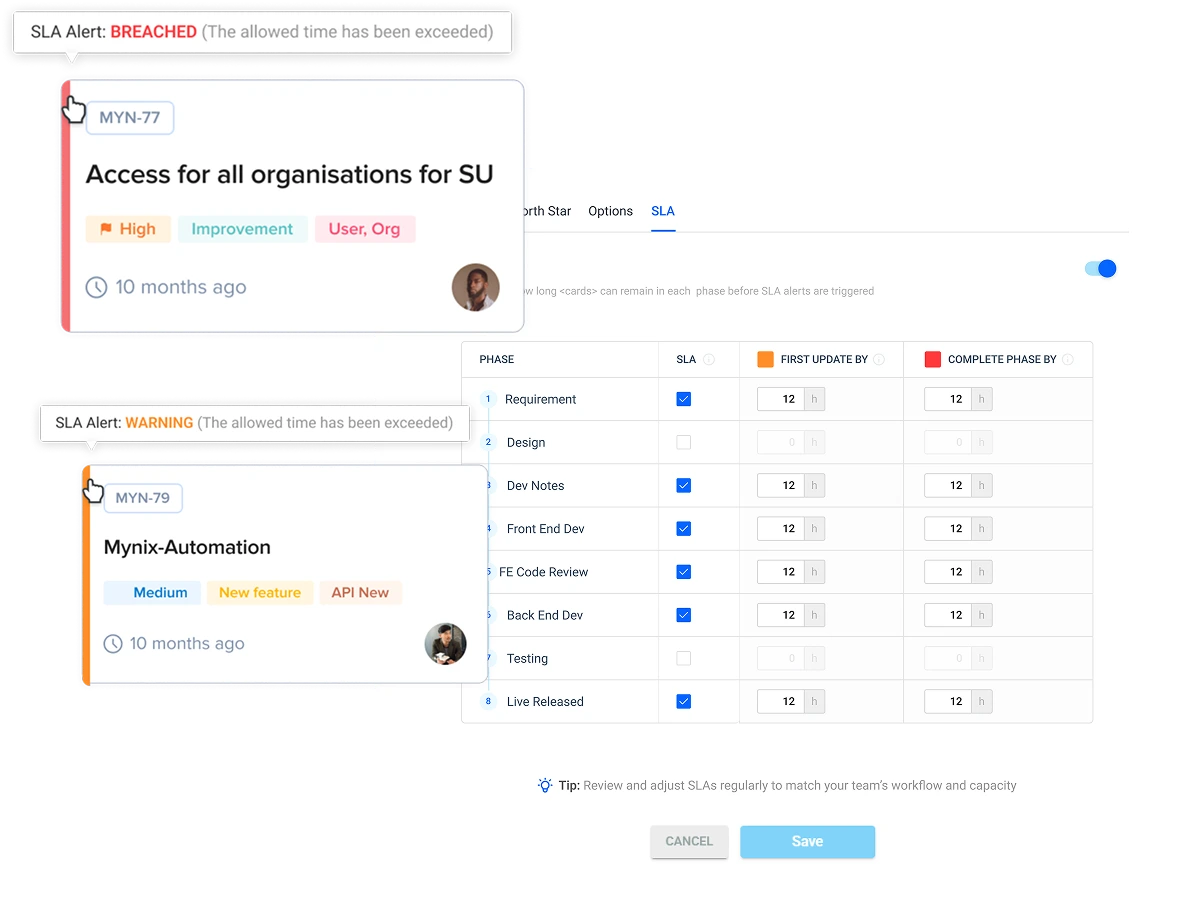
When a card enters a configured phase, both timing commitments can begin together. Each breach receives a distinct visual signal.
Monitor timing automatically
Once SLA is configured, teams do not need to start or maintain timers for individual cards. Mynix tracks the phase timing as work progresses.
Scan the board and act before a delay becomes a larger bottleneck.
How SLA timing works
Configure the rules once, then let every card follow the same visible timing logic.
Turn on SLA from Project → Settings → SLA.
Set hours for First Update and Complete Phase.
The FRT and REST timers start automatically.
Prioritize the card when a threshold is exceeded.
Understand SLA status at a glance
Each status makes the next action easier to see and helps teams respond before a timing miss becomes an operational bottleneck.
The card is progressing within its configured response and resolution limits.
The card has not received its expected first update in time.
The card has remained in the phase beyond its resolution limit.
Built for time-sensitive workflows
Each phase can have its own expectation, so the workflow reflects how the team actually operates.
Track first response and resolution for incoming tickets before customers are left waiting.
Set expectations for lead follow-up and progression through sales stages.
Monitor service requests and operational work against defined turnaround times.
Ensure requests do not remain indefinitely in review or approval phases.
One clear view of the two timing commitments that keep phase-level work moving: first response and resolution.
Explore Card SLA in Mynix and turn response and resolution commitments into visible operational controls.