Stay informed
Receive updates about relevant activities.
Activity updates
Stay informed about activities and updates that matter to you. Mynix Notifications keeps you updated about relevant activities and changes, helping you stay informed without manually checking every project or issue.
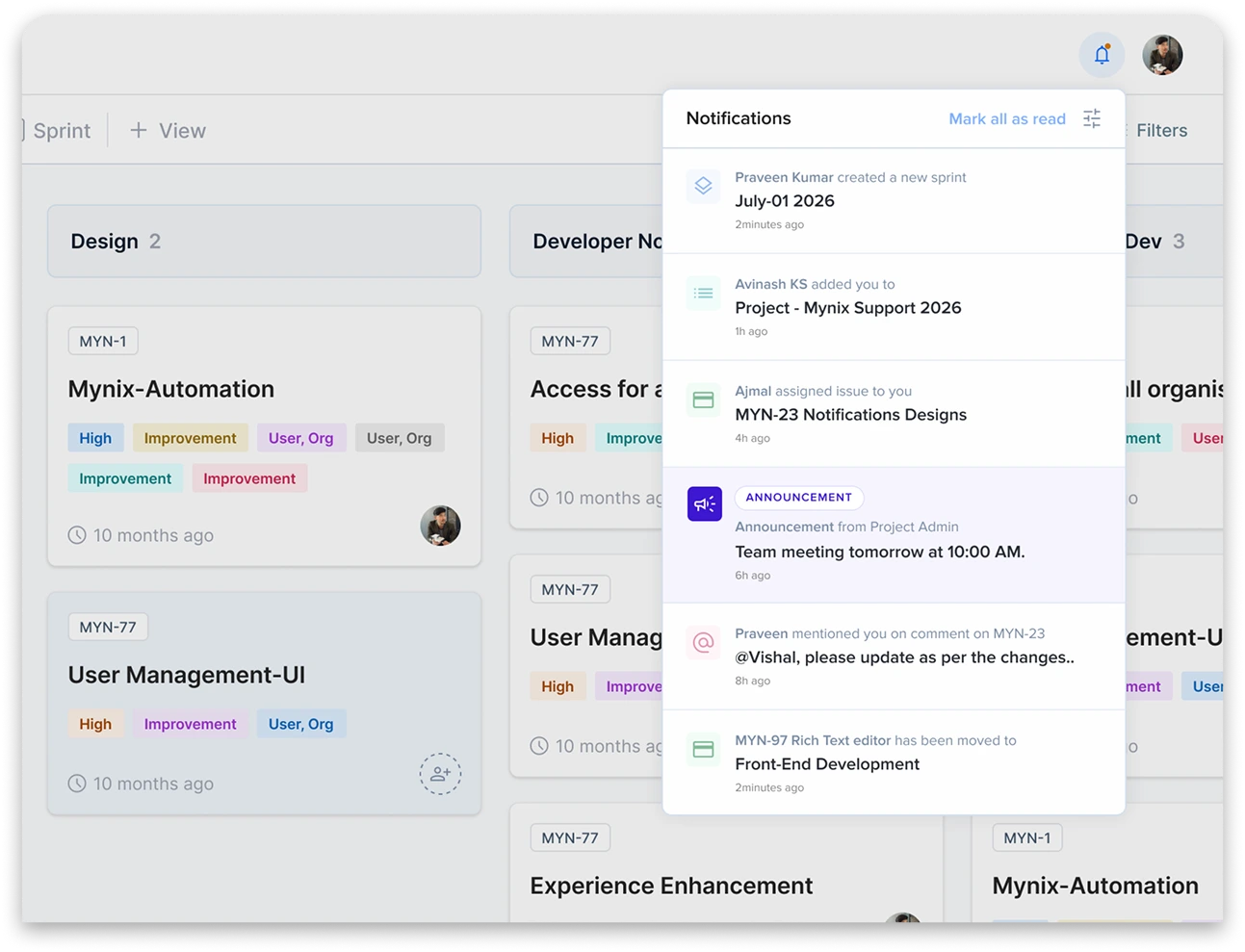
Notifications at a glance
Four things notifications give you every day.
Receive updates about relevant activities.
See important updates in one place.
Stay aware of activities that need your attention.
Review updates without checking everything manually.
Stay updated without checking everything manually
The Notifications feature keeps users informed about relevant activities and updates within Mynix. When activities or changes require your attention, Notifications provide a central place to review those updates.
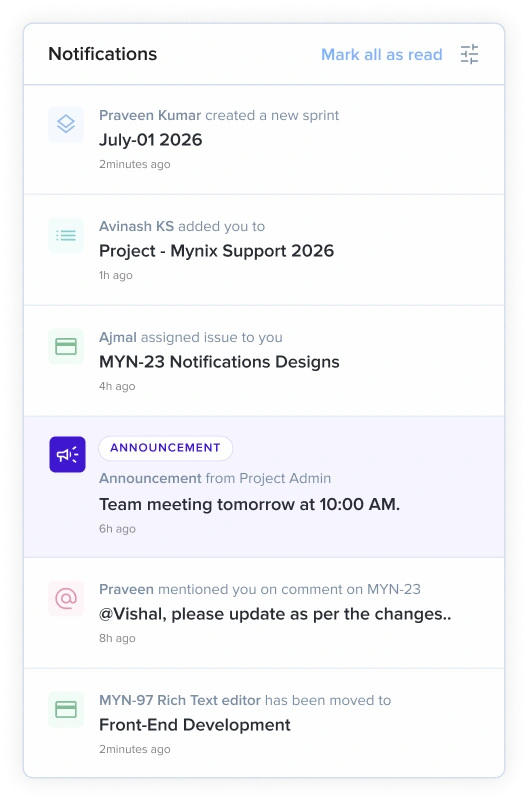
Keep important updates easy to find
Everything you need is one click away — the icon, the activity updates, the time, the context, and the list itself.
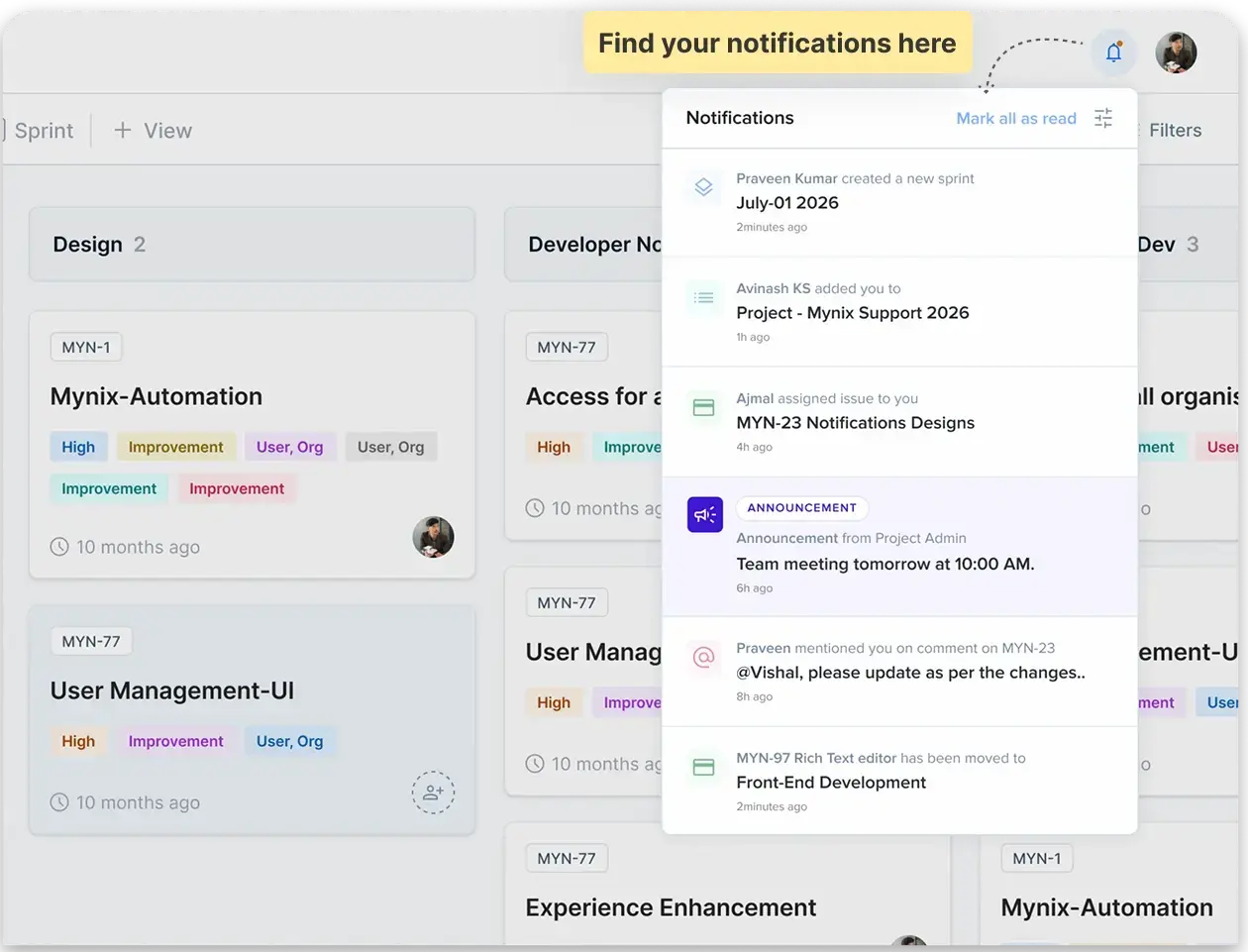
Filter notifications
Use the filter option to narrow the list down to the activity that matters right now.
Select the relevant filter and review the notifications related to that activity type. The list updates instantly so you only see what you asked for.
How Notifications help
Notifications gather relevant updates into one place so attention goes to the work that needs it next.
Keep up with relevant activities and important changes without monitoring every project or issue.
Spot updates that need attention before they disappear in the noise of day-to-day work.
Review the context quickly and take the next action with confidence.
Notifications are available within Mynix. No additional setup or configuration is required to access the Notifications section.
From activity to awareness
No need to monitor every project or issue — the signal comes to you.
A comment, mention, task, project, or announcement changes.
Mynix surfaces the relevant update in the notification list.
The user reviews the update and decides what to do next.
Without Notifications, users may need to manually check multiple projects or issues. With Mynix, relevant updates are easier to review in one place, so teams can respond with better context.