Define the stage.
Structured information at every stage
Phase Data Collection
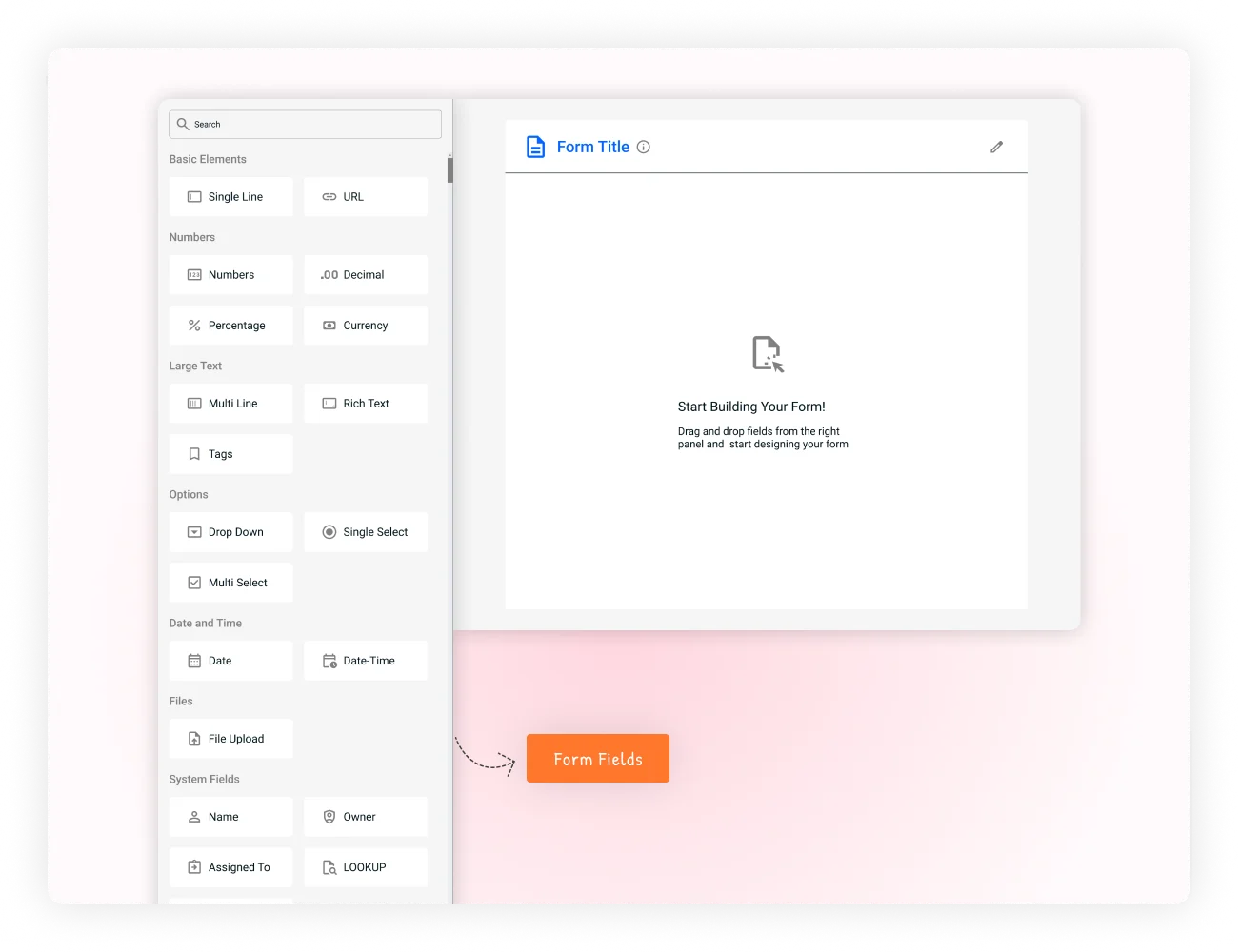
Capture the right information at the right stage of your workflow. Create phase-specific forms, define what is required, control access, and keep data connected as work progresses.
- dynamic_formCustom phase forms
- ruleValidation rules
- securityField permissions
- syncReal-time updates
Progressive data collection
Collect what matters when it becomes relevant.
Instead of asking users to complete one large form upfront, collect information progressively as work moves through the process. Each phase gets the fields, permissions, and requirements that fit the work happening there.
-
dynamic_form
Custom phase forms
Create forms for the information required at each stage.
-
rule
Phase-based requirements
Define what must be captured before work can progress.
-
security
Field permissions
Control which users or roles can view and edit specific information.
-
sync
Real-time updates
Keep collected information associated with the same work item as it moves forward.
How it works
Every stage gets the information it needs.
Each phase builds on the information already collected, so teams can keep records complete without making the first step unnecessarily heavy.
Ask for relevant information.
Check requirements and format.
Finish the phase with confidence.
Move the work forward.
A form that follows the work
Build a richer record one phase at a time.
Phase-specific collection keeps early work lightweight and introduces deeper information only when the process calls for it.
Understand the opportunity
Contact information, lead source, initial interest, and basic requirements.
Determine fit
Budget range, decision timeline, decision makers, detailed requirements, and pain points.
Prepare the offer
Pricing, contract terms, proposal details, and delivery information.
Complete the handoff
Contract details, payment terms, final customer information, and project handoff data.
Quality and control
Make the next phase depend on reliable information.
Mandatory fields, format validation, and permissions make requirements part of the workflow instead of relying on memory or follow-up messages.
-
rule
Mandatory fields
Require Budget, Decision Timeline, and Decision Maker information before moving from Qualification to Proposal.
-
format_list_bulleted
Format validation
Validate email addresses, phone numbers, dates, numbers, currency, and other configured formats.
-
security
Role-based access
Let a sales representative edit customer information while restricting financial or approval fields to authorized users.
-
alt_route
Conditional requirements
Show additional fields when they become relevant, such as Tax ID for international customers or approval details for larger requests.
Flexible field types
Use the right input for the information.
Combine field types within a phase form to capture structured, detailed, and supporting information in one connected record.
Text fields
Single line, multi-line, and rich text for names, requirements, notes, and detailed responses.
Dropdown and selection
Single or multiple choice for category, priority, department, and other predefined values.
Date and time
Deadlines, appointments, milestones, schedules, and timestamps.
File upload
Resumes, contracts, receipts, screenshots, specifications, and supporting documents.
Numbers
Integer, decimal, currency, quantity, cost, measurement, and percentage values.
Boolean
Checkboxes, yes/no answers, confirmations, eligibility conditions, and simple decisions.
Built for every department
One model for many business processes.
Define the phases and information requirements that match the work your teams already do.
Sales pipeline
Move from lead contact information to qualification, proposal, contract, payment, and handoff details.
Support tickets
Capture the issue at intake, then add solution details, resolution time, feedback, and notes at closure.
HR recruitment
Collect resumes and qualifications at application, then interview feedback, assessments, references, and decisions.
Project development
Gather requirements and estimates in planning, then progress updates, test results, and technical documentation.
Connected information
Keep the full story with the work item.
As a card moves through its workflow, information from earlier stages remains associated with it while new phase-specific data is added. That creates a progressively richer record without duplicate entry or disconnected handoffs.
More complete reporting
Every phase adds to the same record, so reports reflect the full journey instead of a snapshot.
Better downstream processing
Later stages inherit earlier context automatically — no re-entry, no missing details.
Fewer incomplete records
Phase-based requirements make sure nothing critical is skipped along the way.
A clearer view of progress
Information grows with the work item, so the record tells the whole story at any point.
Collect less upfront. Capture more when it matters.
Give every workflow stage the information it needs, while keeping the experience focused for the people doing the work.