integration_instructions Integrations
expand_more
label

Customization · language and adoption

Custom Labels & Terminology

Adapt Mynix interface language to match your organization's vocabulary, industry standards, and department-specific terminology. Give every team a familiar interface without changing the underlying workflow structure.
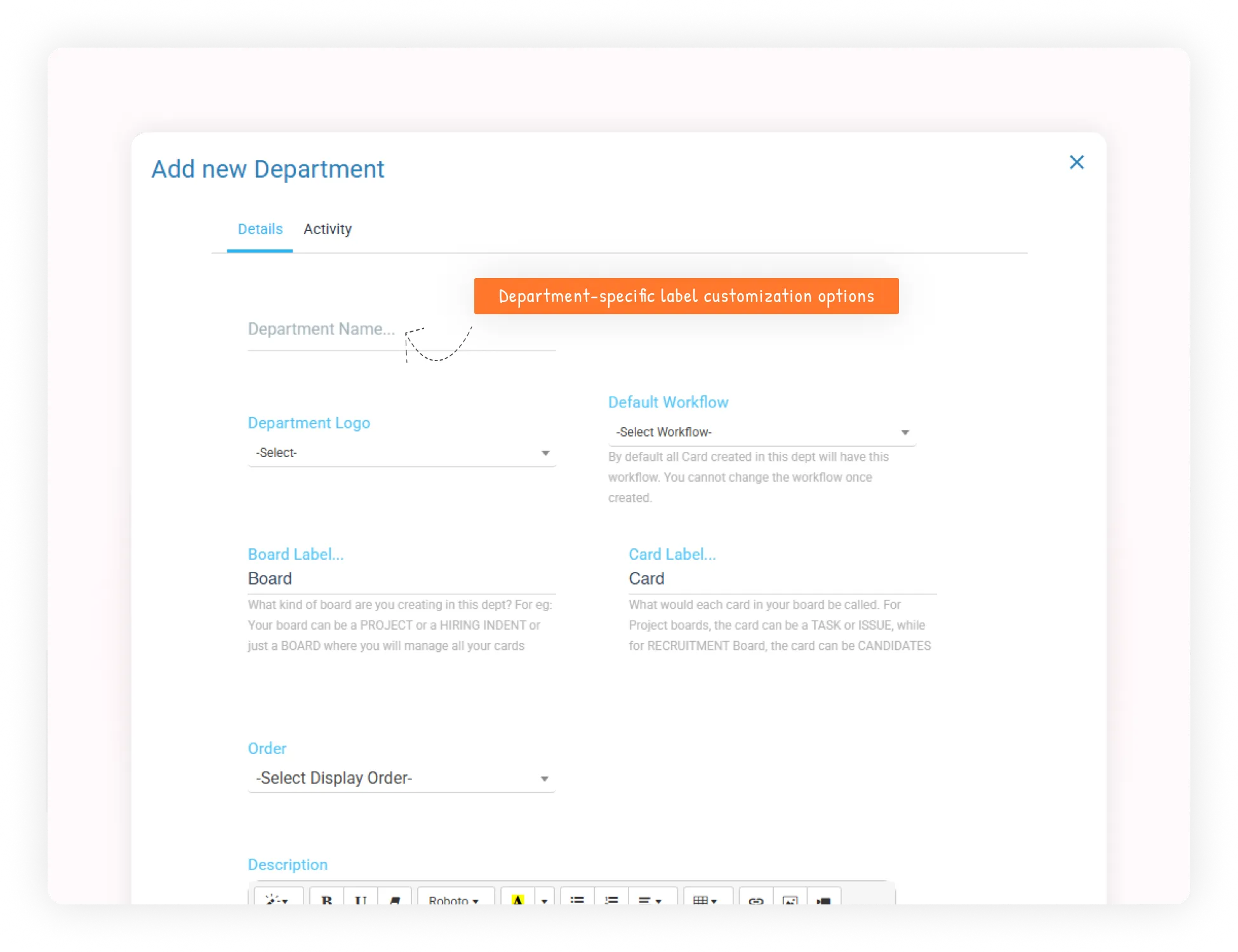
  • translateSpeak your language
  • groupsDepartment-specific terms
  • publicOrganization-wide scope
  • speedEasier adoption
Mynix Custom Labels and Terminology interface showing organization-specific label settings

Replace generic terms with familiar language

Make Mynix speak the language your organization already uses.

Every organization has its own vocabulary. What one team calls an Issue, another calls a Support Ticket. Development may use User Stories, while HR works with Candidates and Interview Stages.

translate
Speak your organization's language

Reduce the need for users to mentally translate platform terminology into the language they already understand.

  • menu
    Menu items

    Change navigation labels and section names.

  • label
    Field labels

    Adapt forms and data-entry labels.

  • article
    Content types

    Rename cards, projects, tasks, and issues.

  • timeline
    Status and buttons

    Customize phase names, workflow stages, and action text.

Customize the language across Mynix

Change visible terminology without changing the workflow underneath.

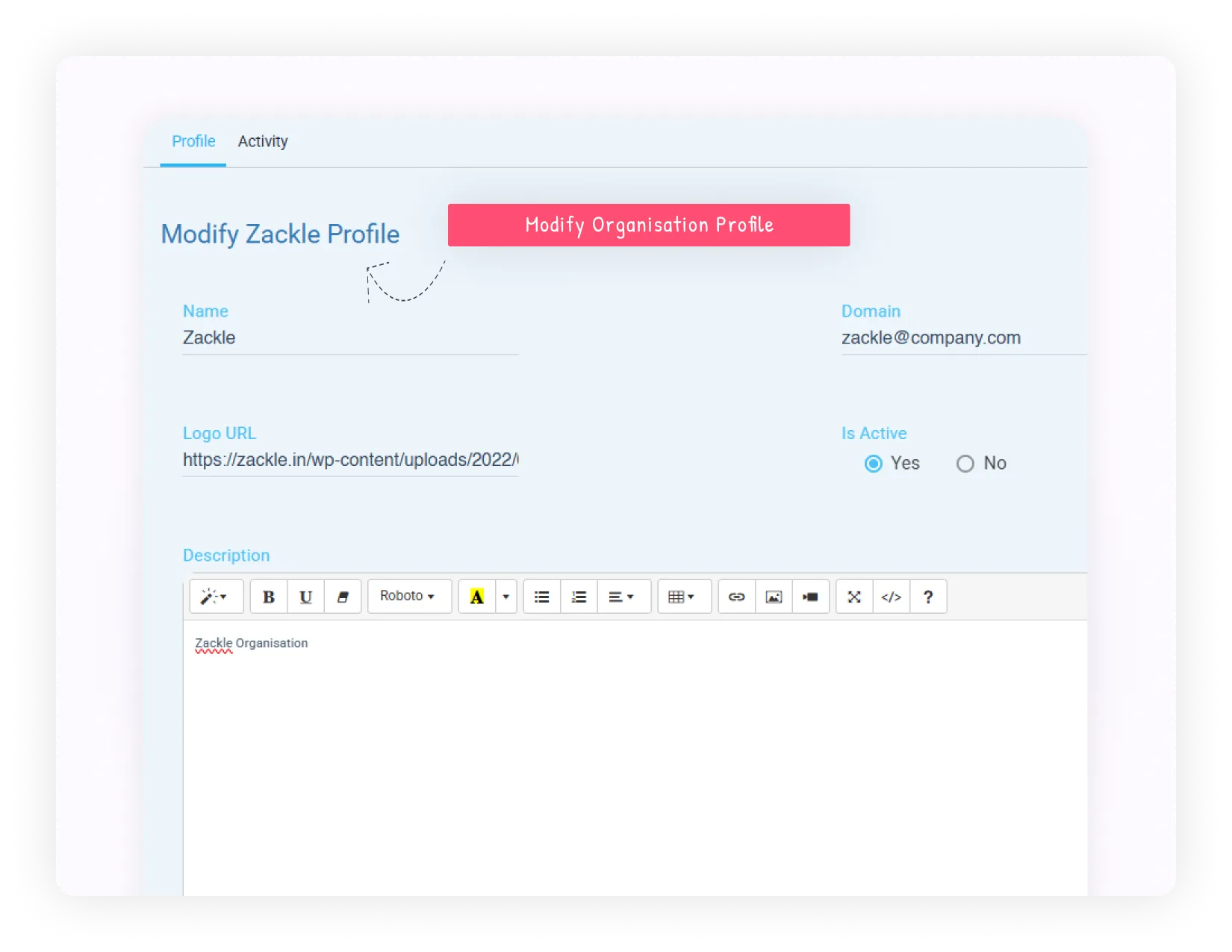
Customize the parts of the interface teams interact with every day while keeping the same underlying platform structure and data model.
  • ✓
    Menu itemsMatch navigation and section names to your vocabulary.
  • ✓
    Field labelsUse the words users expect in forms and data entry.
  • ✓
    Content typesRename cards, projects, tasks, and issues for the process.
  • ✓
    Status names and buttonsMake phases, workflow stages, and actions immediately clear.
Mynix working view showing custom terminology applied across a workflow interface

One platform, different department languages

Let each team work with the terms that make sense for its process.

The visible terminology changes how users interact with the interface while the organization maintains one consistent underlying platform.

support_agent Support department

Service language

  • Issues → Support Tickets
  • Cards → Customer Cases
  • Use language familiar to service and help-desk teams.
trending_up Sales department

Pipeline language

  • Projects → Sales Pipelines
  • Tasks → Opportunities
  • Use terms that reflect revenue operations.
people HR department

Recruitment language

  • Workflows → Hiring Process
  • Phases → Interview Stages
  • Make candidate and employee processes feel familiar.
code Development team

Agile language

  • Cards → User Stories
  • Sprints → Iterations
  • Use established development terminology without changing the platform.

Choose where terminology applies

Use one vocabulary broadly or give each department its own language.

Custom terminology can be scoped according to your organization's structure and the responsibilities of each team.

Broad scopeOrganization-wide

Apply terminology broadly when everyone follows the same vocabulary.

Focused scopeDepartment-specific

Use different language for Support, Sales, HR, Engineering, and other teams.

Shared foundationOne platform

Keep the same underlying workflow structure and data model.

Visible resultFamiliar interface

Give every team language that reflects its actual responsibilities.

Set up your organization's terminology

Introduce language changes through a structured setup process.

Review the changes before applying them across the relevant workflows and teams.

  1. 01 · AccessOpen organization settings

    Go to the customization panel where terminology is managed.

  2. 02 · ScopeChoose department scope

    Select organization-wide or department-specific application.

  3. 03 · UpdateChange interface labels

    Replace default terms across supported interface elements.

  4. 04 · PreviewReview the changes

    Check how terminology appears across interface areas.

  5. 05 · ApplyTest the result

    Save changes and verify the updated workflows.

  6. 06 · AdoptBrief your team

    Help everyone use the new vocabulary consistently.

Make adoption easier from day one

Familiar language removes friction before training even begins.

Teams can begin working with terms they already recognize instead of learning a separate platform vocabulary.

  • ✓
    Faster user adoptionStart with vocabulary people already use in their roles.
  • ✓
    Reduced learning curveHelp new team members understand the interface more quickly.
  • ✓
    Professional alignmentUse language clients, customers, and stakeholders recognize.
  • ✓
    Cross-department claritySupport familiar team language on one shared platform.
speed
Faster adoption

Less interpretation means faster first use.

school
Lower learning curve

New users recognize the terms immediately.

Adapt Mynix to industry-specific workflows

Use terminology that describes the work your organization actually performs.

Supportsupport_agent

Customer support

Cases instead of Cards. Incidents instead of Issues. Escalations instead of Phases.

Salestrending_up

Sales organizations

Leads instead of Cards. Opportunities instead of Projects. Sales Stages instead of Phases.

Developmentcode

Development teams

User Stories instead of Cards. Epics instead of Projects. Sprints instead of Cycles.

HRpeople

HR departments

Candidates instead of Cards. Hiring Process instead of Workflow. Interview Stages instead of Phases.

Professional services and gradual change

Align service language and introduce terminology at a pace teams can absorb.

Professional services teams can use Deliverables, Client Projects, and Service Phases. Organizations do not need to rename everything at once.

layers Replace everything at once

Disrupt the adoption process.

  • Change every visible term immediately
  • Force teams to relearn the whole interface
  • Create confusion during active work
trending_flat Introduce gradually

Start where confusion is highest.

  • Begin with the terms users encounter most often
  • Expand after teams are comfortable
  • Reduce disruption while adoption grows
Start → Adopt → Expand

Keep the language consistent with the process

Good terminology describes what the team actually does.

Before customizing a label, consider whether the term is natural, understandable to new employees, aligned with industry expectations, recognizable to clients, and used consistently across the department.

Understand → Align → Standardize

Natural language

What does the team naturally call this type of work?

New-user clarity

Will new employees understand the term quickly?

Industry alignment

Does the language match client and stakeholder expectations?

Consistency

Is the same term used across the department and process?

Make Mynix feel like your own platform

The platform stays consistent underneath while the experience becomes familiar on the surface.

SupportTickets & Cases

Service language for support teams.

SalesLeads & Opportunities

Pipeline language for revenue teams.

HRCandidates & Stages

Recruitment language for people teams.

DevelopmentStories & Iterations

Agile language for engineering teams.

Use the platform you need. Speak the language your teams already know.

Shape the visible language of Mynix around the way your organization actually works.