Archive projects
Remove completed or inactive projects from the active project workspace while retaining their information.
Workspace management
Keep completed and inactive work out of the way. As projects progress, some projects, phases, or cards may no longer need to remain in the active workspace — Archive allows users to archive them while retaining their information for future reference.
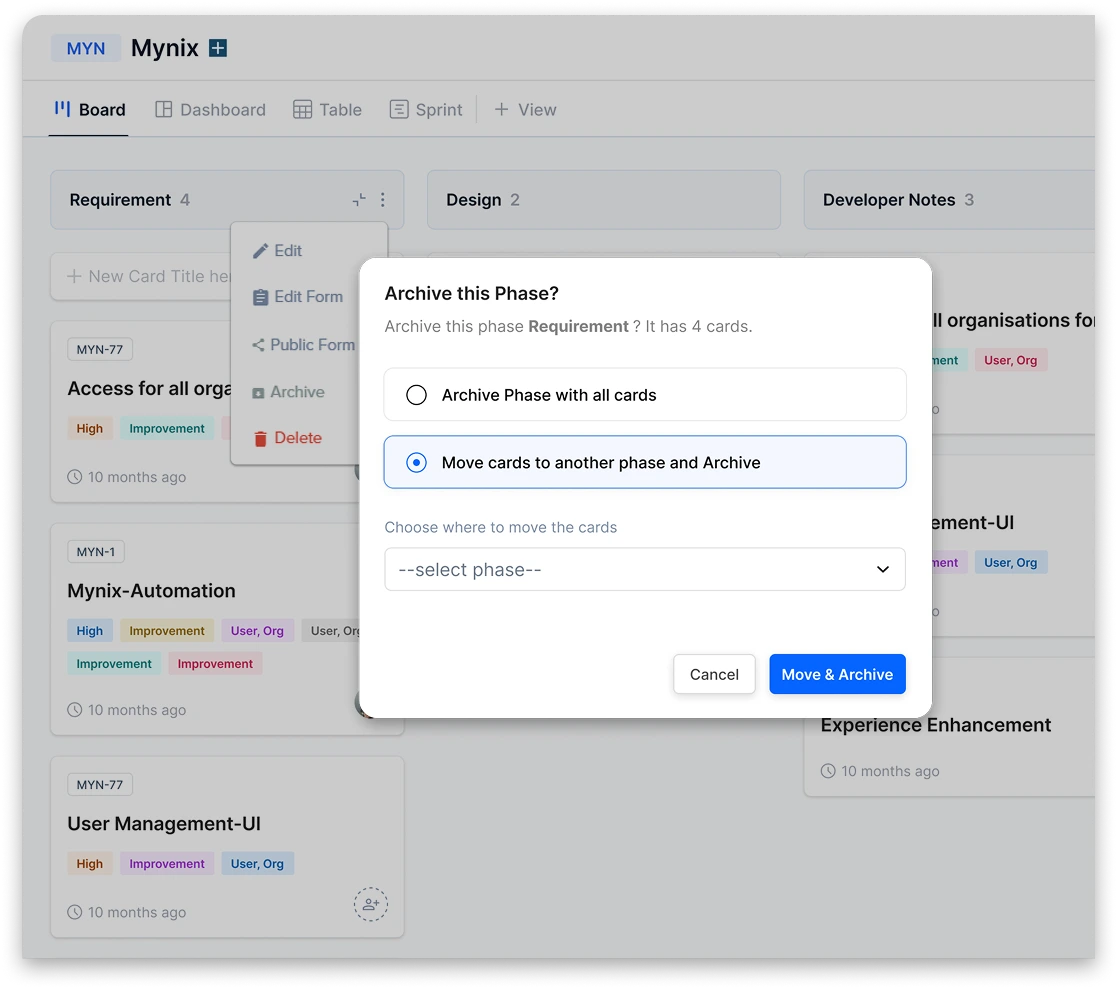
Archive at a glance
Remove completed or inactive projects from the active project workspace while retaining their information.
Archive phases that are no longer required in an active project workflow.
Remove completed or inactive cards from active views while keeping their information available.
Keep active work focused
Once work is completed or no longer active, it can be archived to keep the workspace clean.
This makes it easier to focus on the work that still needs attention.
Archive at the level you need
The appropriate level can be archived without requiring the entire project to be archived.
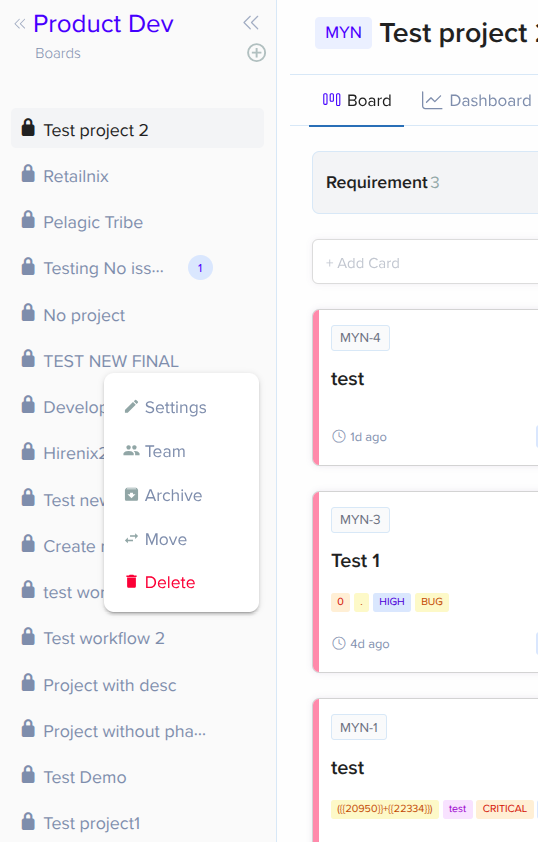
01 / Project
Hover over a project and open the three-dot menu to access Archive when the project is completed or no longer actively used.
The project moves out of the active workspace and its information is retained.
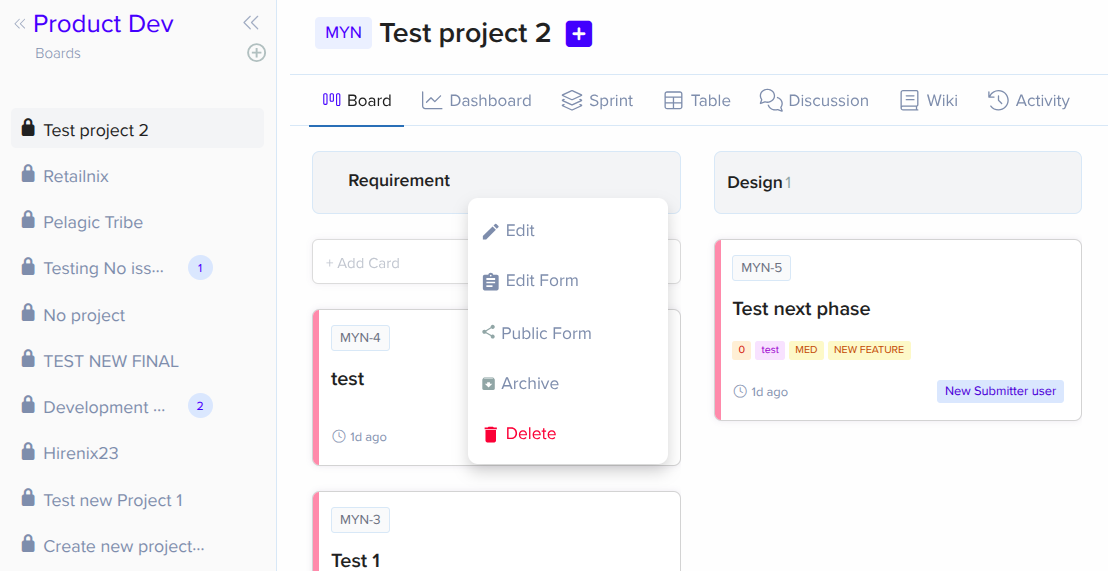
02 / Phase
Hover over a phase and use the three-dot menu to archive it when it is no longer part of the active workflow.
The phase disappears from the active workflow while its cards and history stay intact.
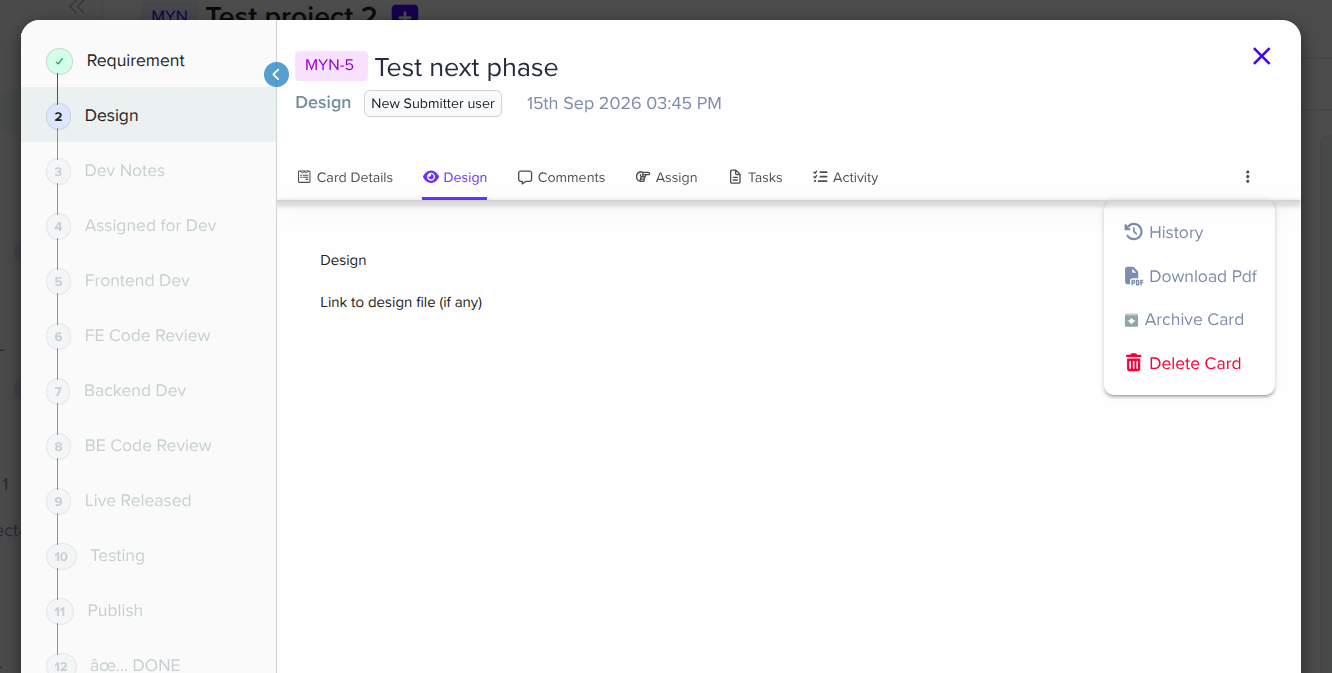
03 / Card
Open the card and use the right-side three-dot menu to archive the card when the work is completed or no longer needs to remain in the active view.
The card leaves active views but remains available as historical reference.
Keep your workspace organized
Remove inactive projects from the active project view.
Archive phases that no longer need active attention.
Keep completed or inactive cards out of active card views.
Archived items remain available as historical information instead of being permanently deleted.
Archive a project, phase, or individual card depending on what needs to be removed from active work.
Archive from their respective areas
Hover over the Project → Three-dot Menu → Archive
Hover over the Phase → Three-dot Menu → Archive
Open the Card → Right-side Three-dot Menu → Archive
From active work to archive
Information is retained while active views stay organized.
Quick summary
Remove completed or inactive work from active views.
Projects, Phases, and Cards.
Project / Phase menu or right-side Card menu → Archive.
No additional setup required.
Keeps workspaces organized while retaining archived information.
A cleaner workspace without losing information
Information that may be useful later stays available without cluttering the workspace.
Everything stays visible. Completed and inactive items clutter active views, making it harder to focus.
Hover for the three-dot menu, open it, archive, and retain the information. A clean, focused workspace.
Archived projects, phases, and cards remain available as historical reference.
Keep your projects organized without permanently deleting anything.
Archive completed and inactive work at any level while preserving the information behind it.